Wedge Delay Calibration
Section titled “Wedge Delay Calibration”
- Wedge Delay Calibration
- DEEPSOUND P5
It is highly recommended to fully complete Velocity Calibration prior to performing Wedge Delay Calibration.
[The calculated Wedge Delay Calibration is intrinsically linked to Velocity Calibration metrics]
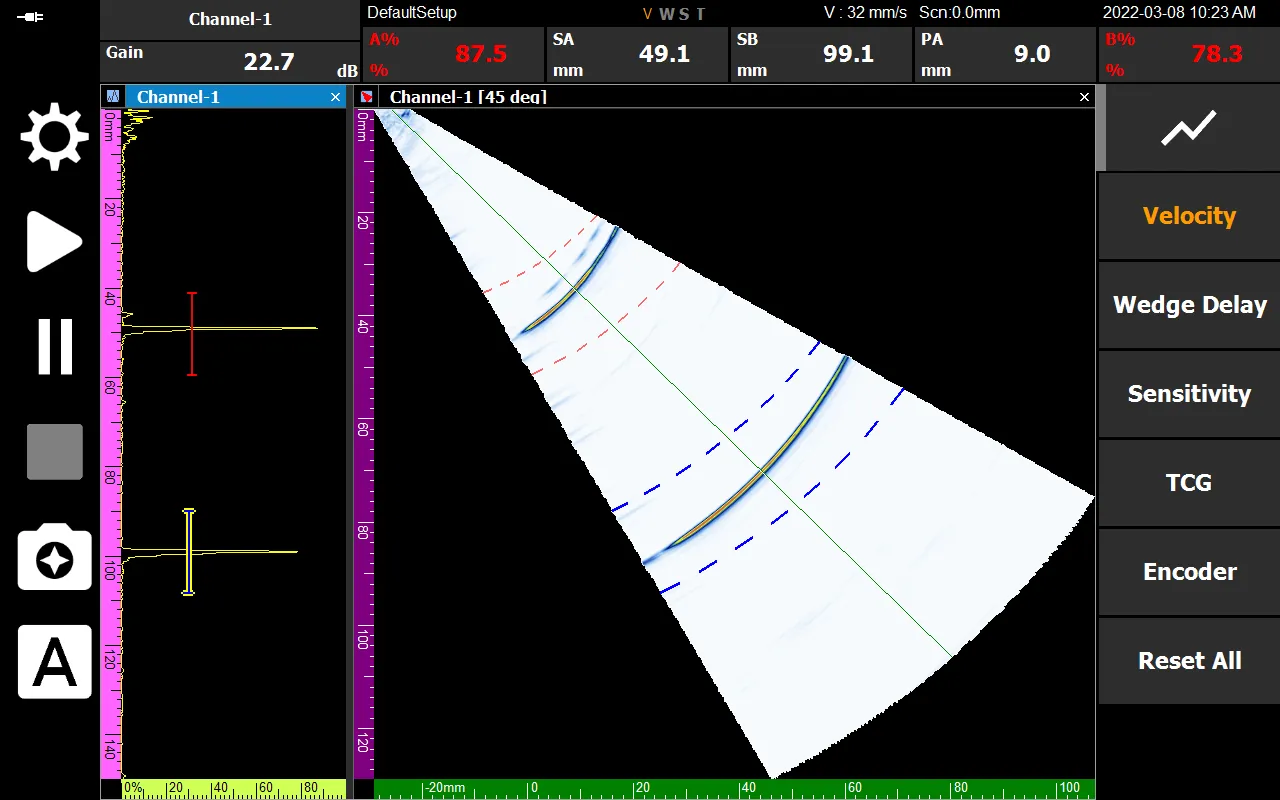
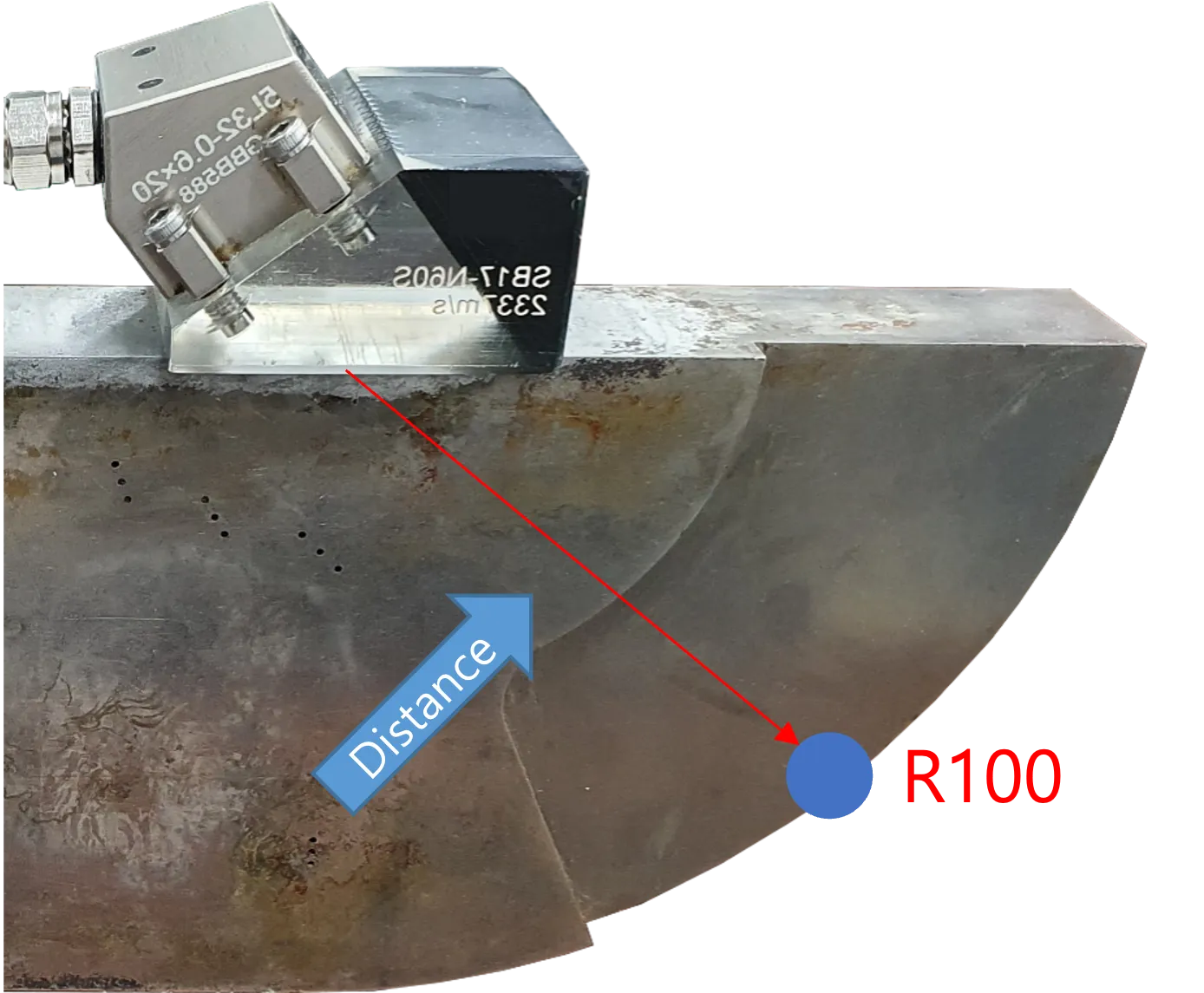
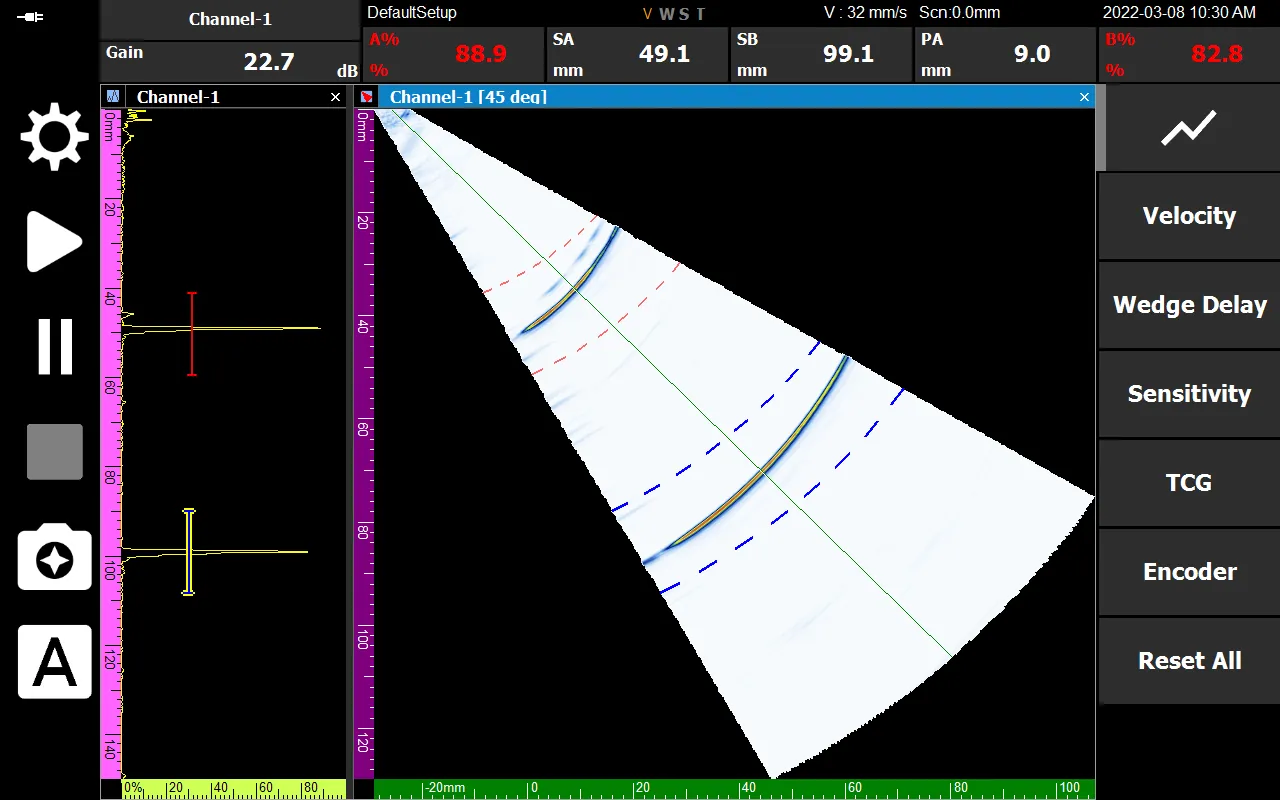
- Incorrect position value resulting from uncalibrated equipment If the Wedge Delay is not accurately calibrated, the system will output erroneous position measurements. [In this instance, it incorrectly reads 99.1 mm at the R100 (100 mm) reference defect]
Navigate to the Wedge Delay Calibration page by following the numerical sequence indicated above.
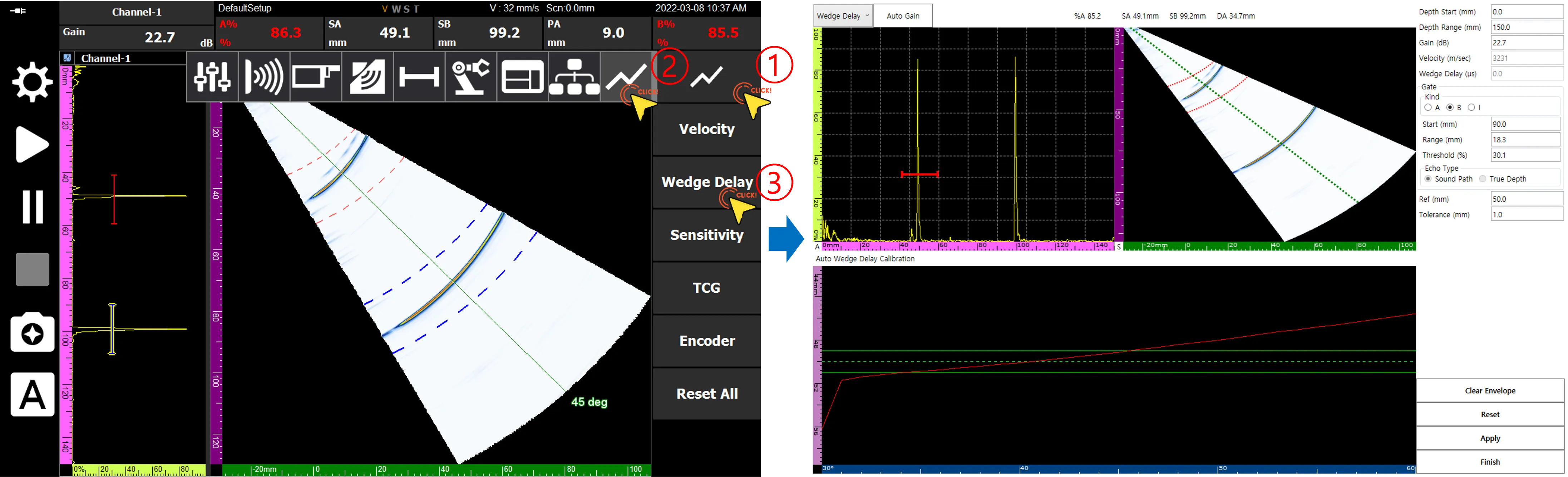
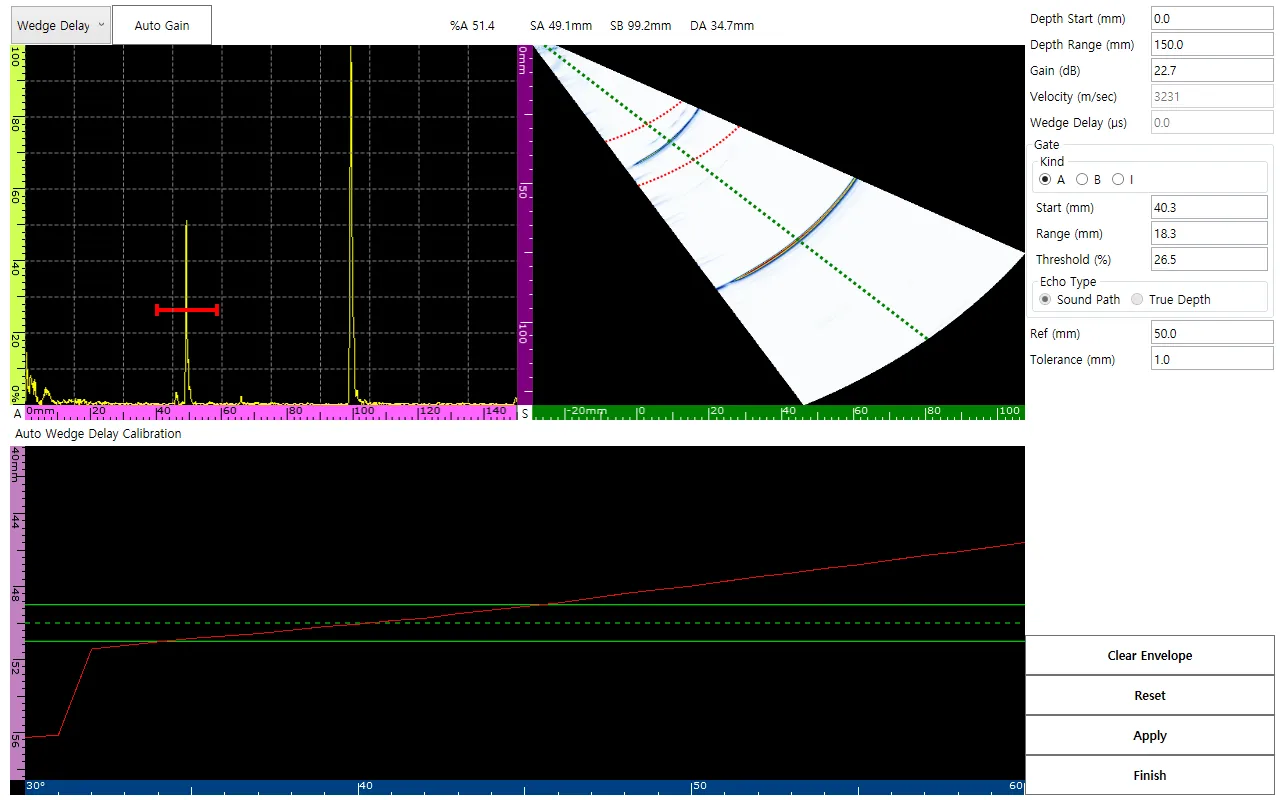 The Wedge Delay Calibration menu supplies dynamic setting inputs such as Depth Range, Gain, and active Gates.
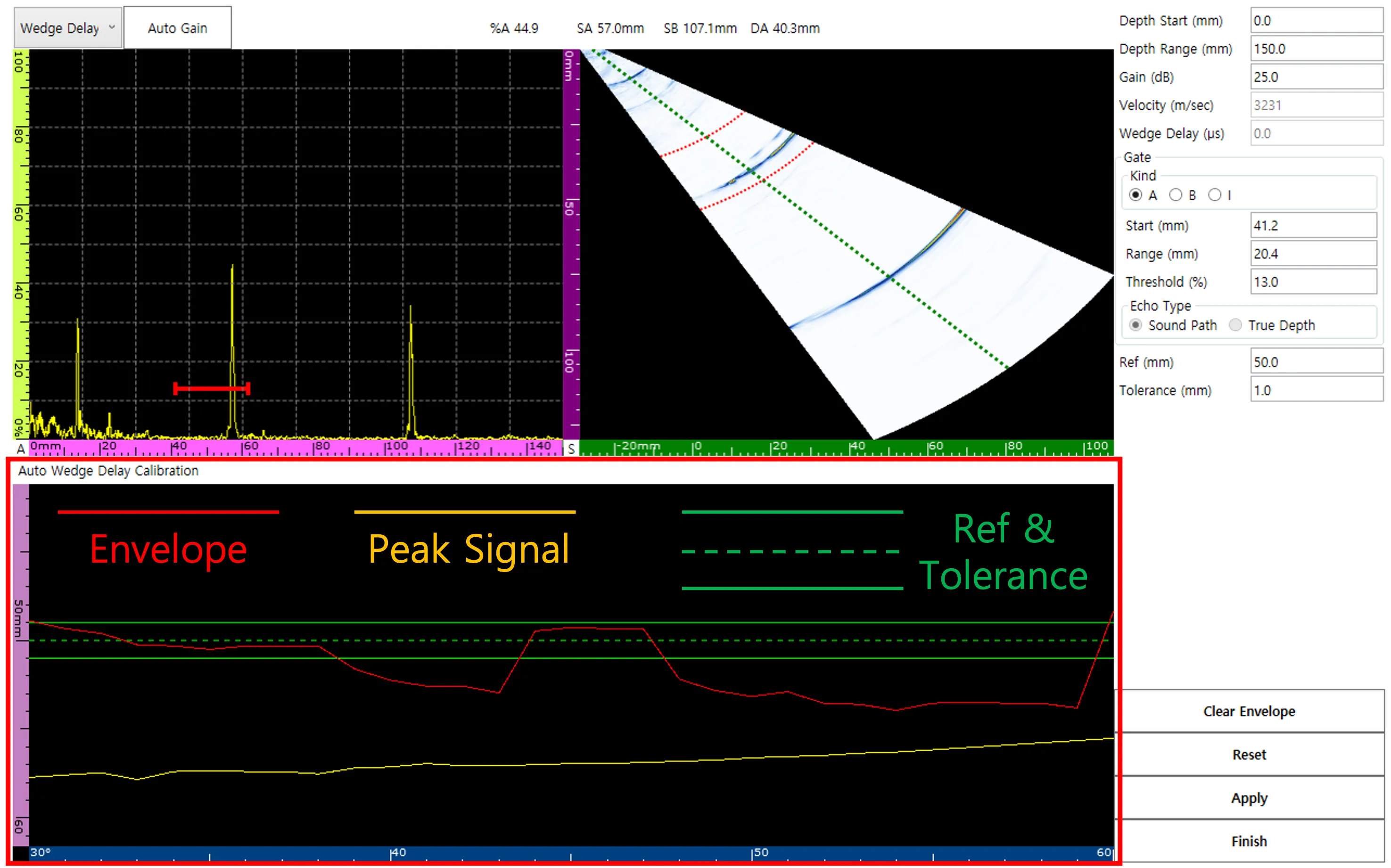
The Auto Wedge Delay Calibration Window represents data across three configurable lines parameters.
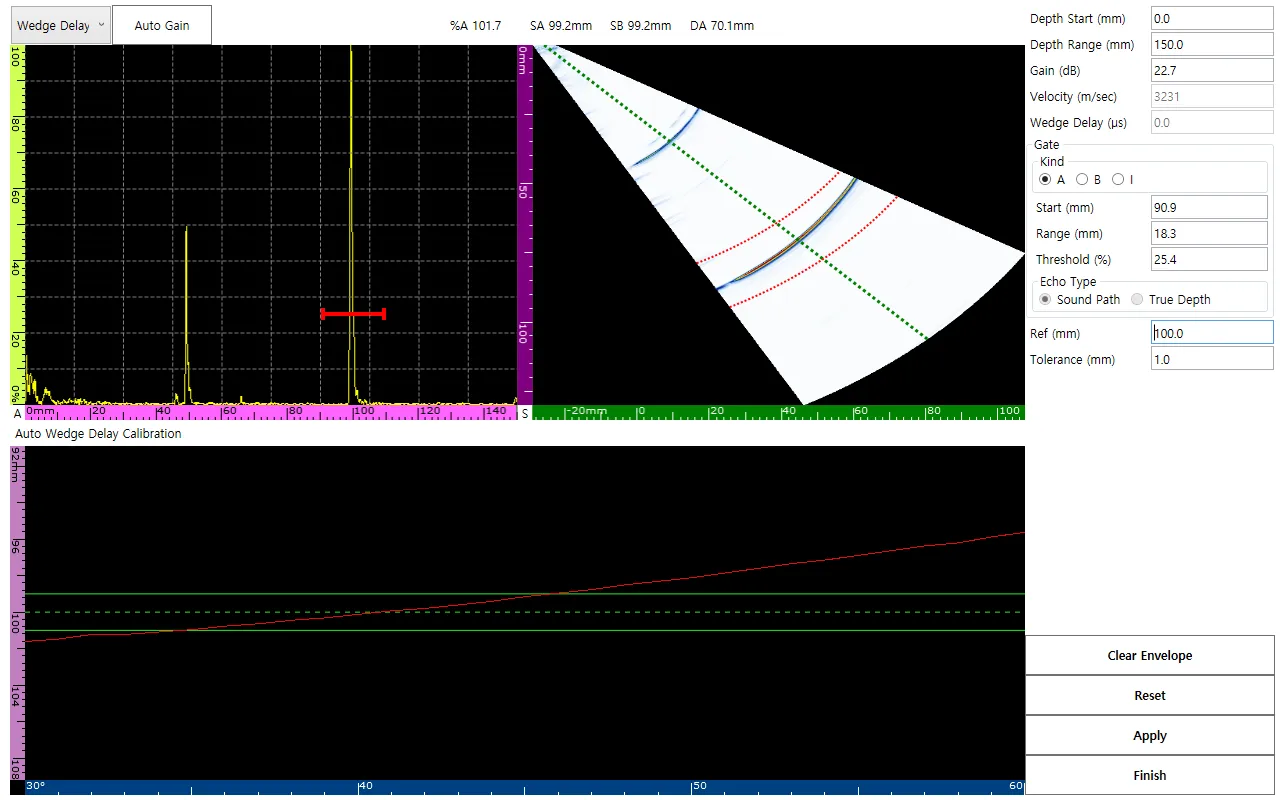 Using the actual physical position parameter of R100 (100 mm) as the baseline, the Ref value must be set to precisely 100 mm.
[Concurrently shift the A Gate so it provides a tolerance scanning window ranging from 90 mm to 110 mm]
Using the actual physical position parameter of R100 (100 mm) as the baseline, the Ref value must be set to precisely 100 mm.
[Concurrently shift the A Gate so it provides a tolerance scanning window ranging from 90 mm to 110 mm]
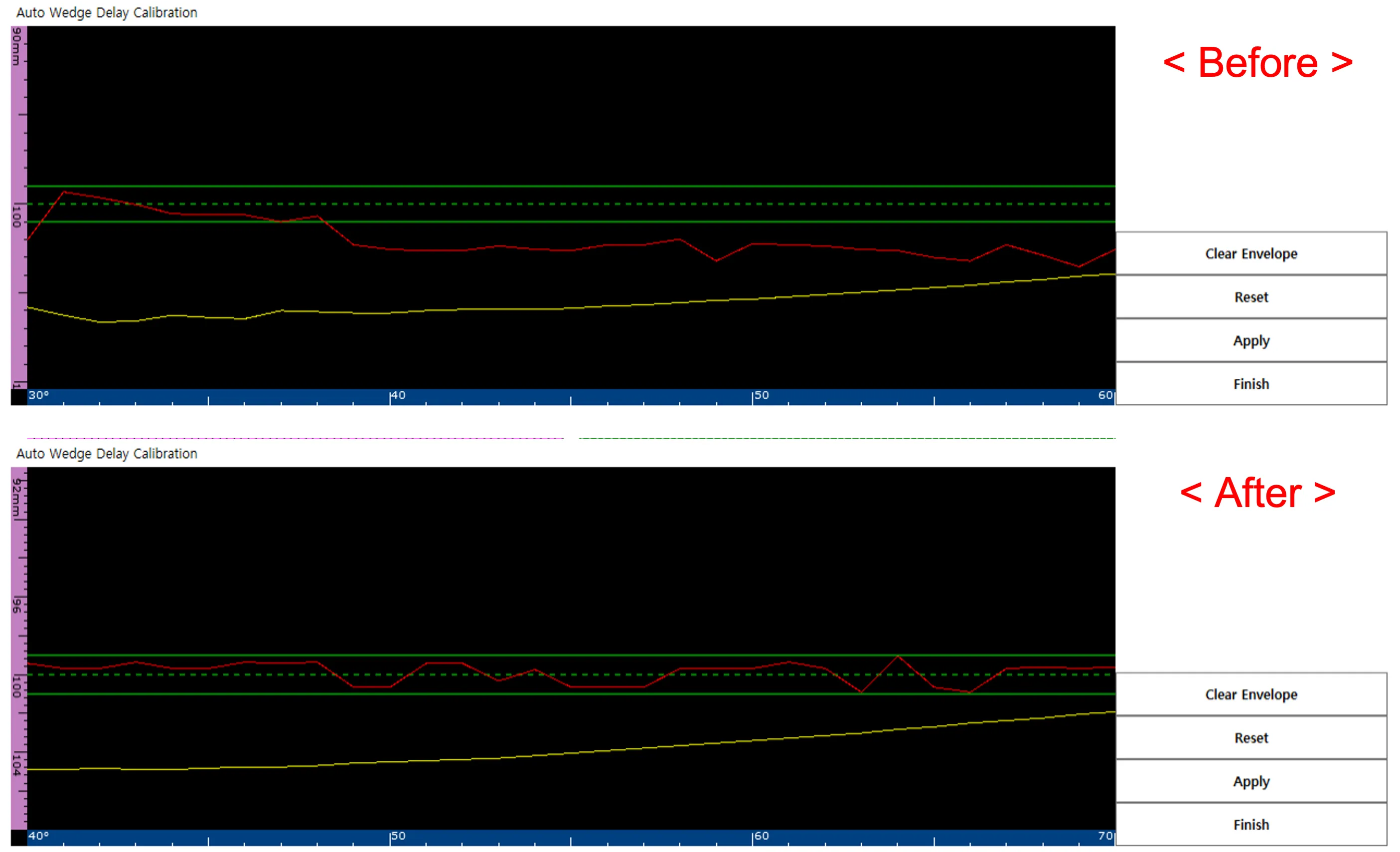
By manually moving the probe to maximize the echo, you shift the Peak signal. This ensures the maximum Envelope signal registers accurately within the Reference bounds. Utilize Reset or Clear Envelope to reset the procedure if needed.
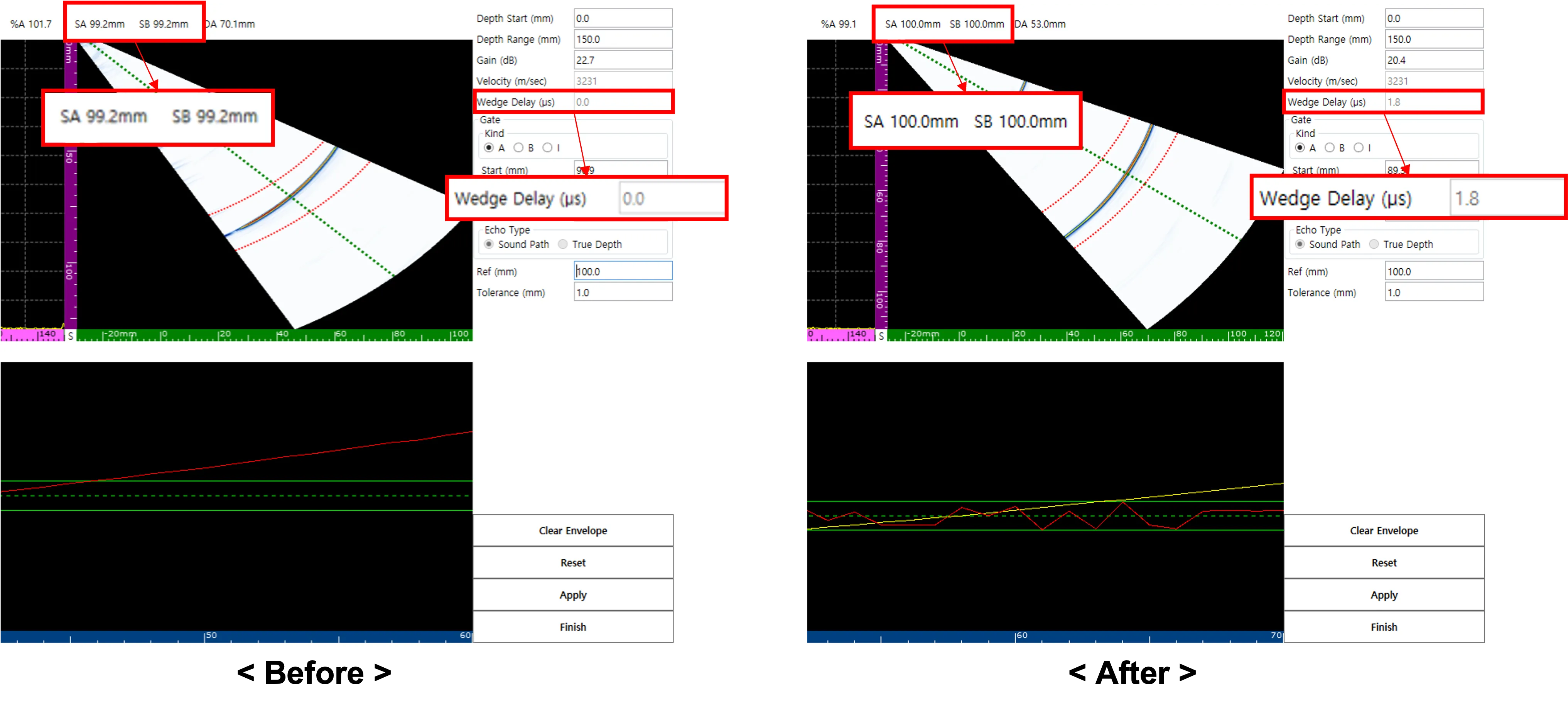 After pressing Apply, immediately confirm that the internal Wedge Delay metrics have updated and the displayed SA value reflects an accurate 100 mm reading.
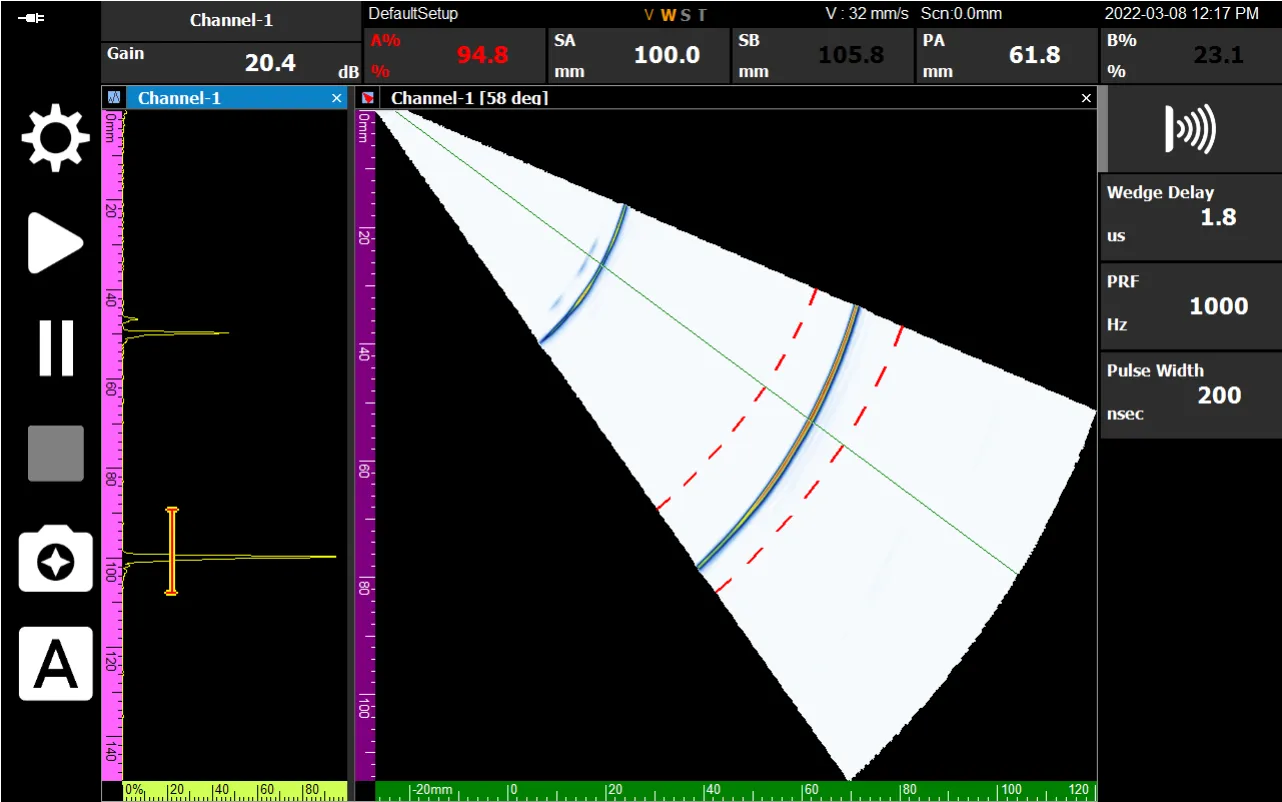 Finally, by selecting Finish, the ‘W’ embedded in the V, W, S, T interface labels turns orange—systematically indicating that the wedge delay calibration is complete.