Radial Velocity Calibration
Section titled “Radial Velocity Calibration”
- Radial Velocity Calibration
- DEEPSOUND P5
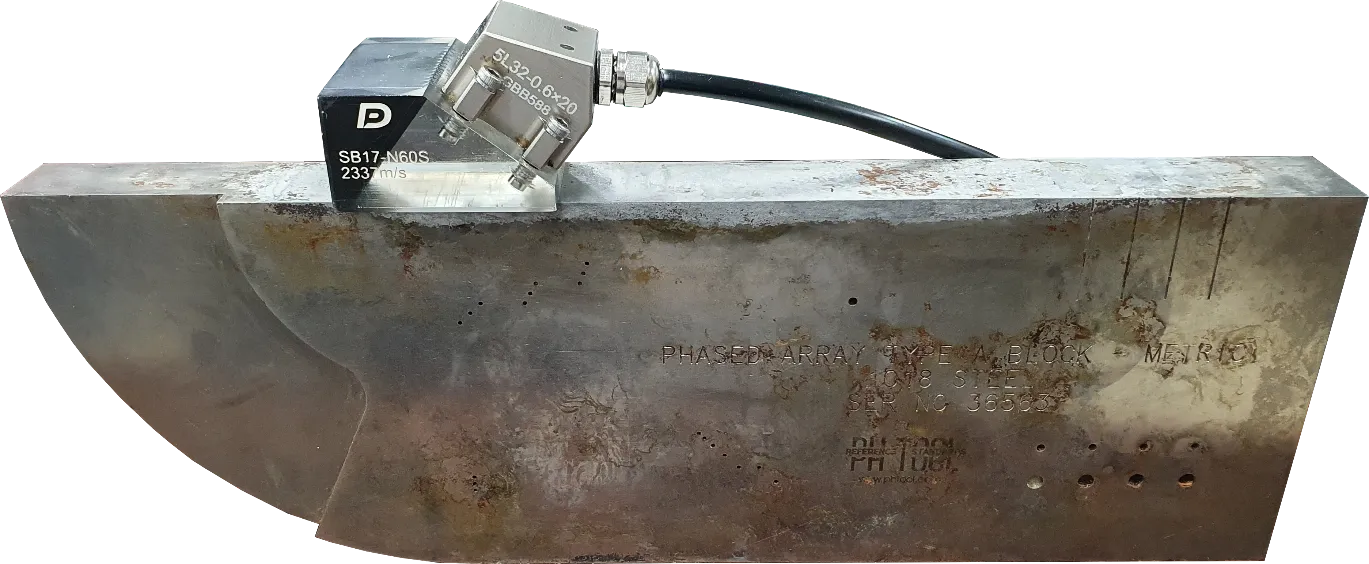 Prepare a calibration specimen of the same material as the target you wish to inspect.
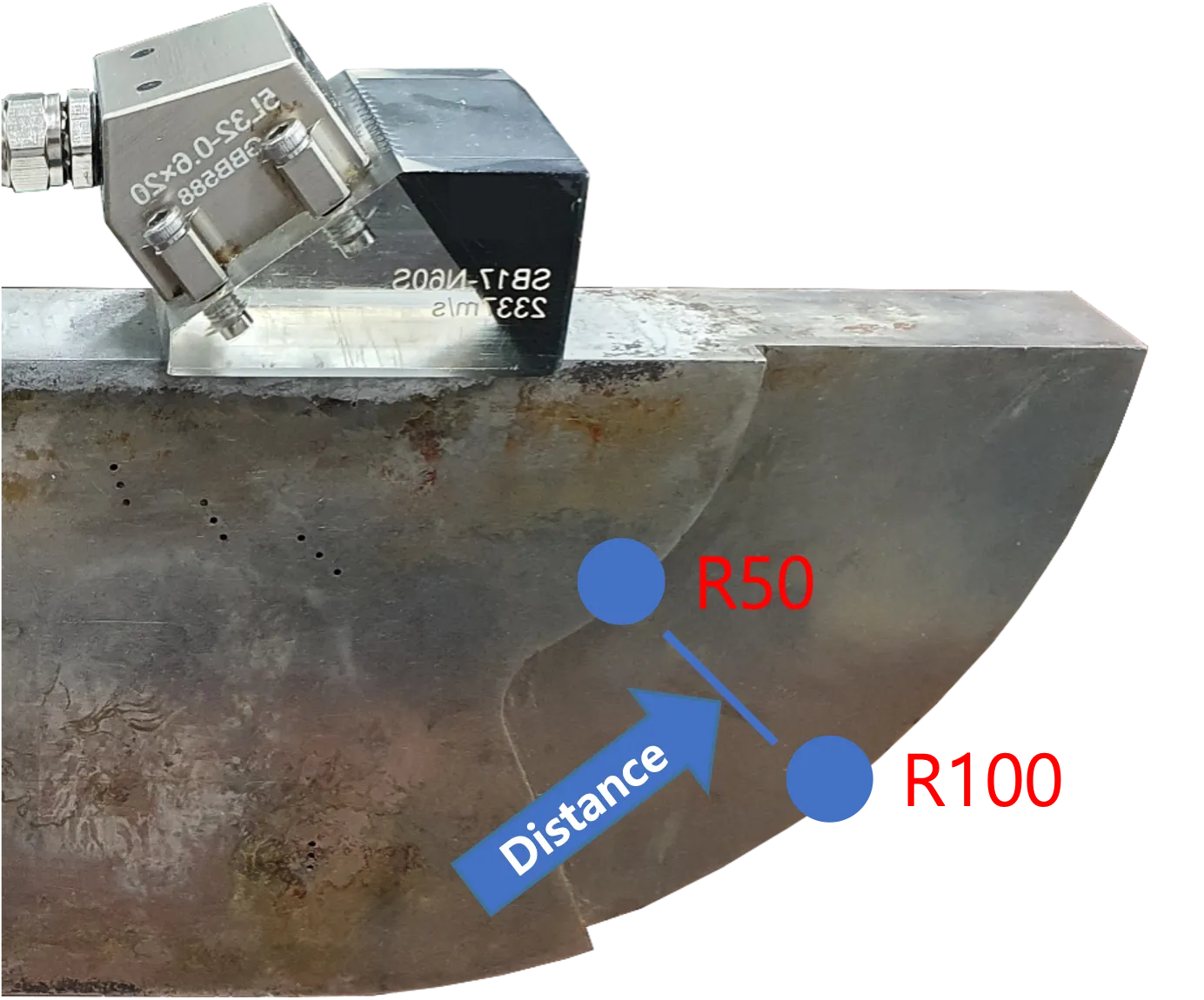
If the device is not calibrated to the proper material velocity, the interval between R50 (50 mm) and R100 (100 mm)—which should be exactly 50 mm—will be displayed incorrectly.
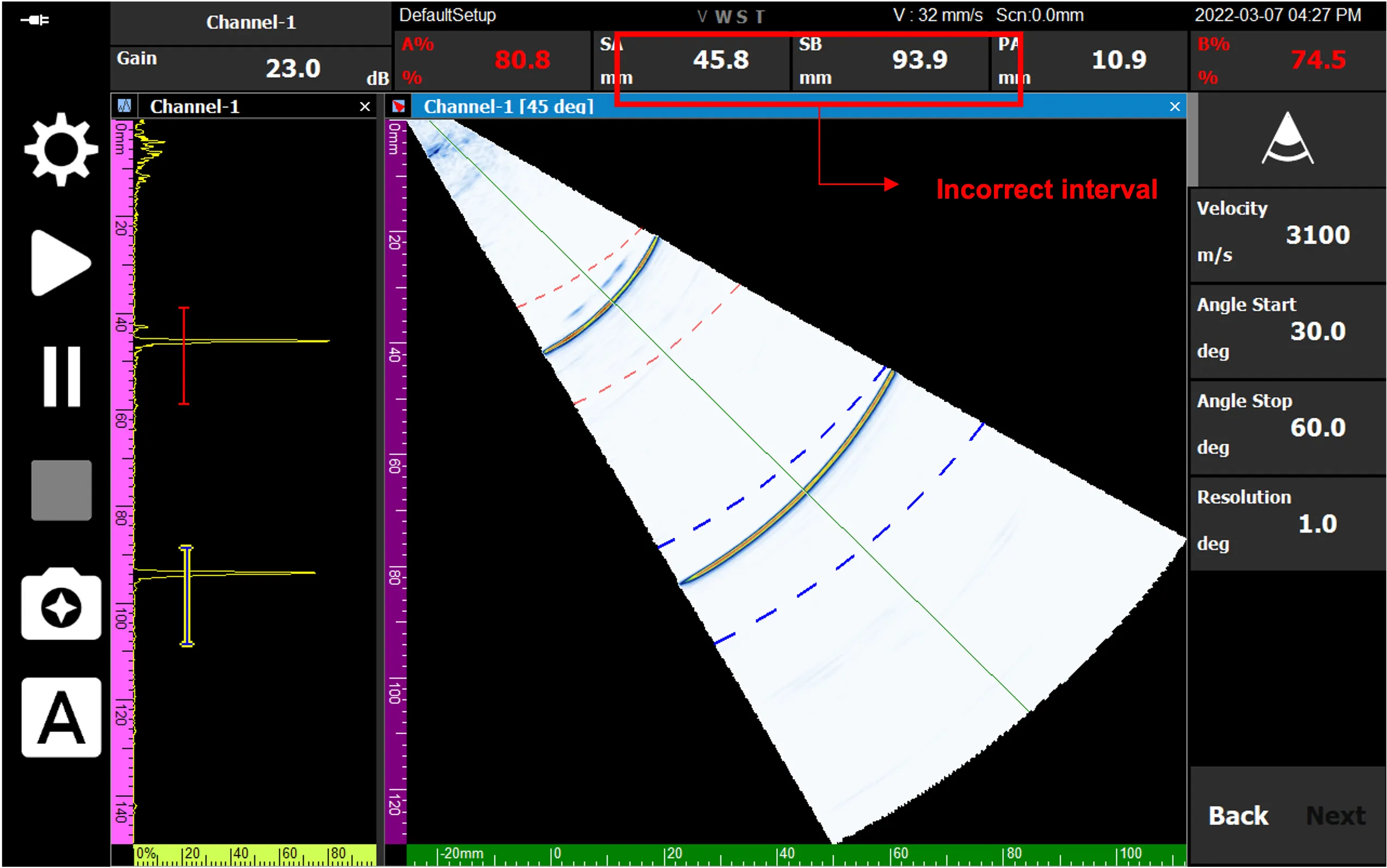
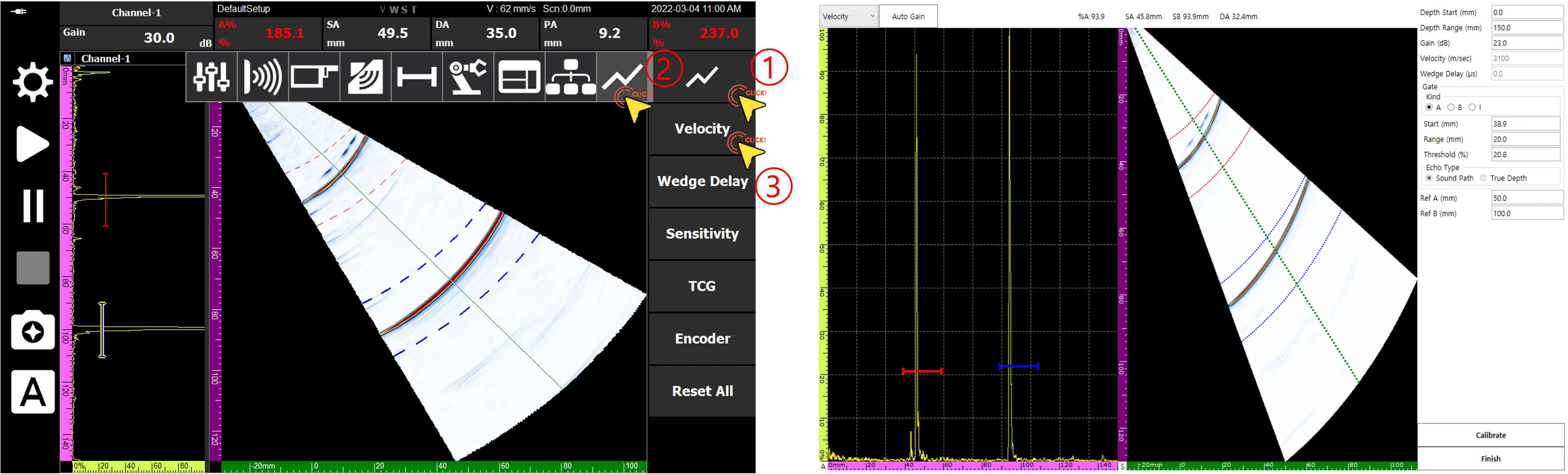 Navigate to the Velocity Calibration page by following the numerical sequence indicated above.
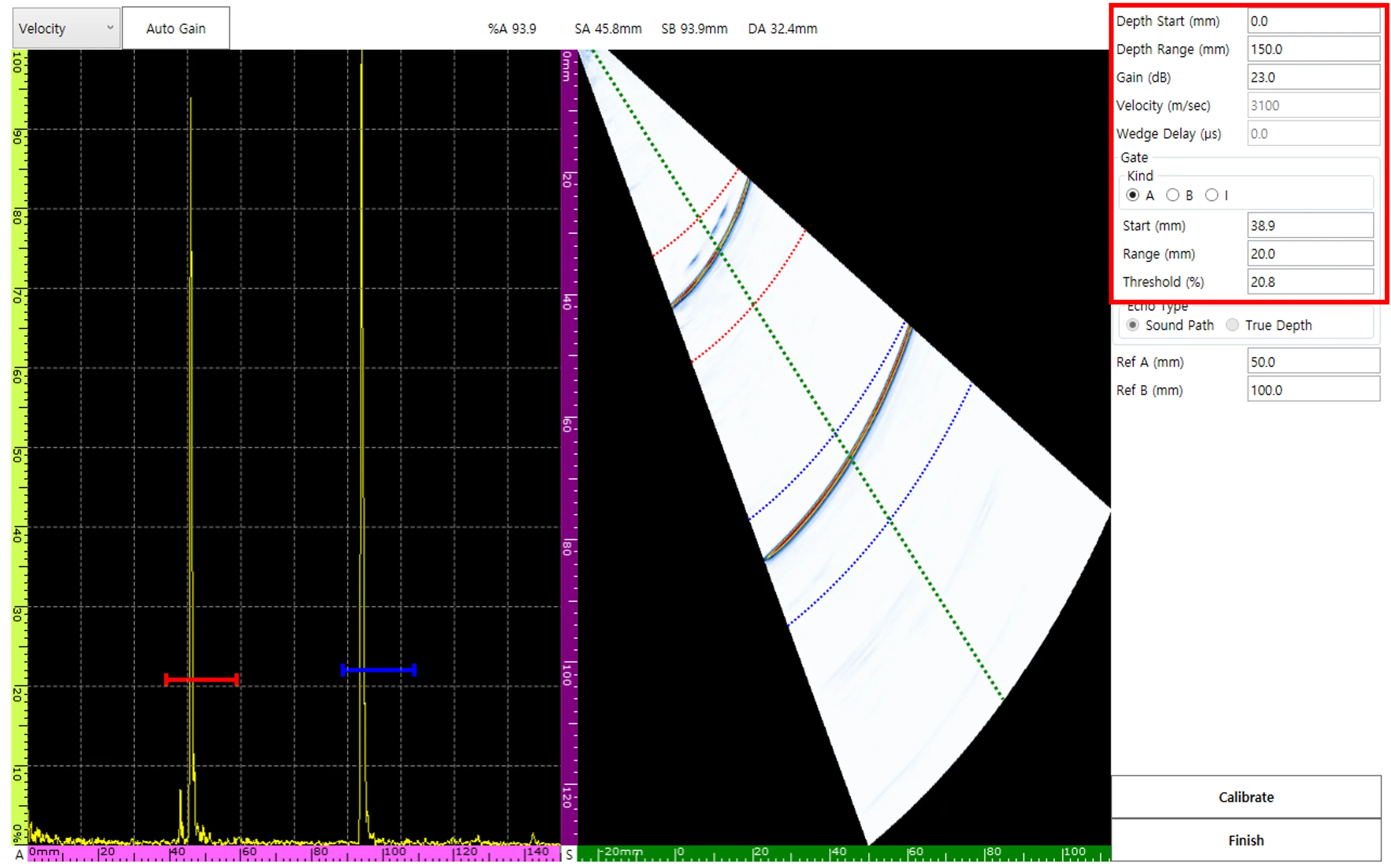 The Velocity Calibration page provides varied inputs such as Depth Range, Gain, and Gate to aid in making adjustments.
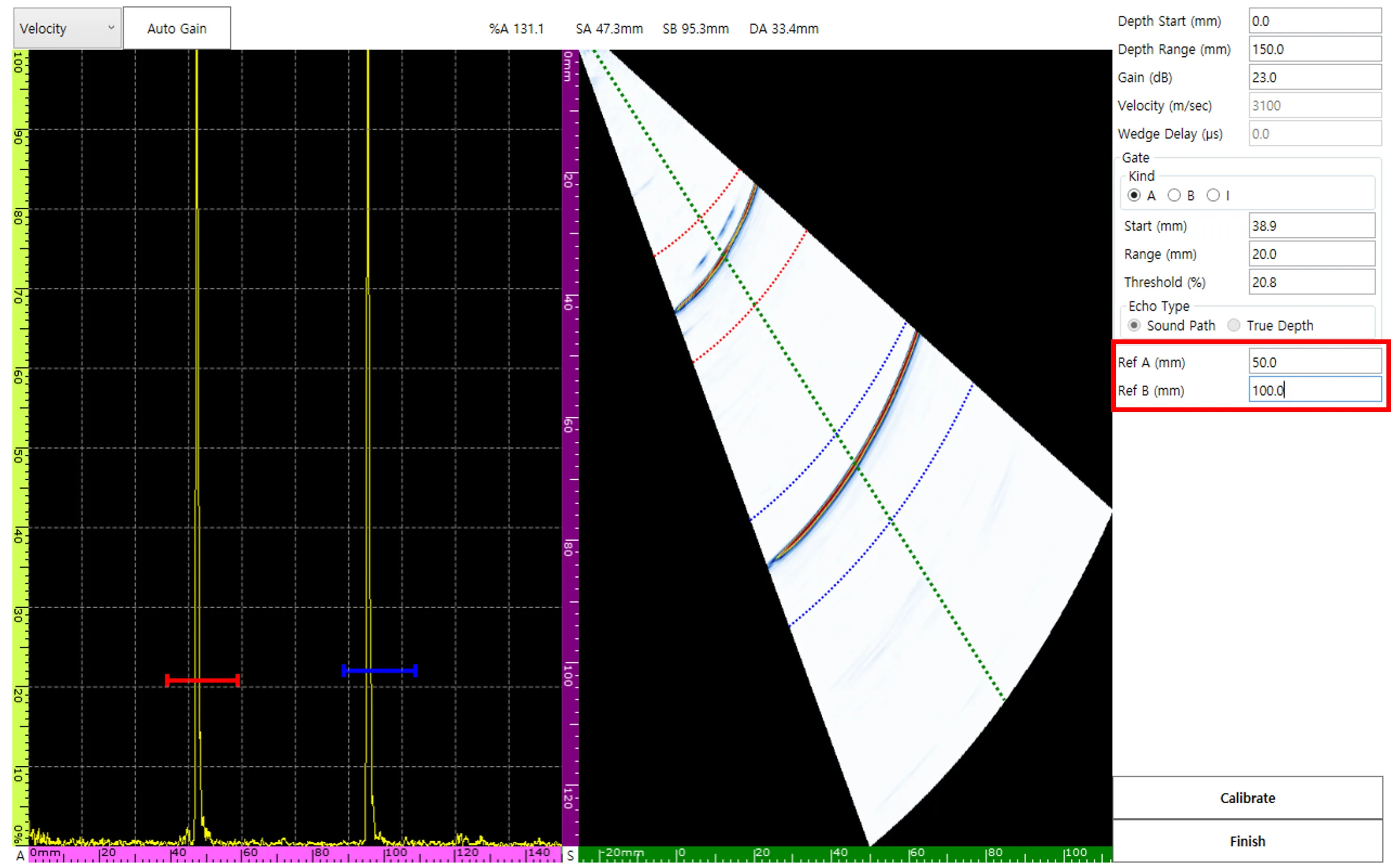 The Velocity Calibration standard utilizes the differential value between Ref A and Ref B.
Using the actual physical position values of R50 (50 mm) and R100 (100 mm) as accurate baselines, Ref A and Ref B are set to 50 mm and 100 mm, respectively.
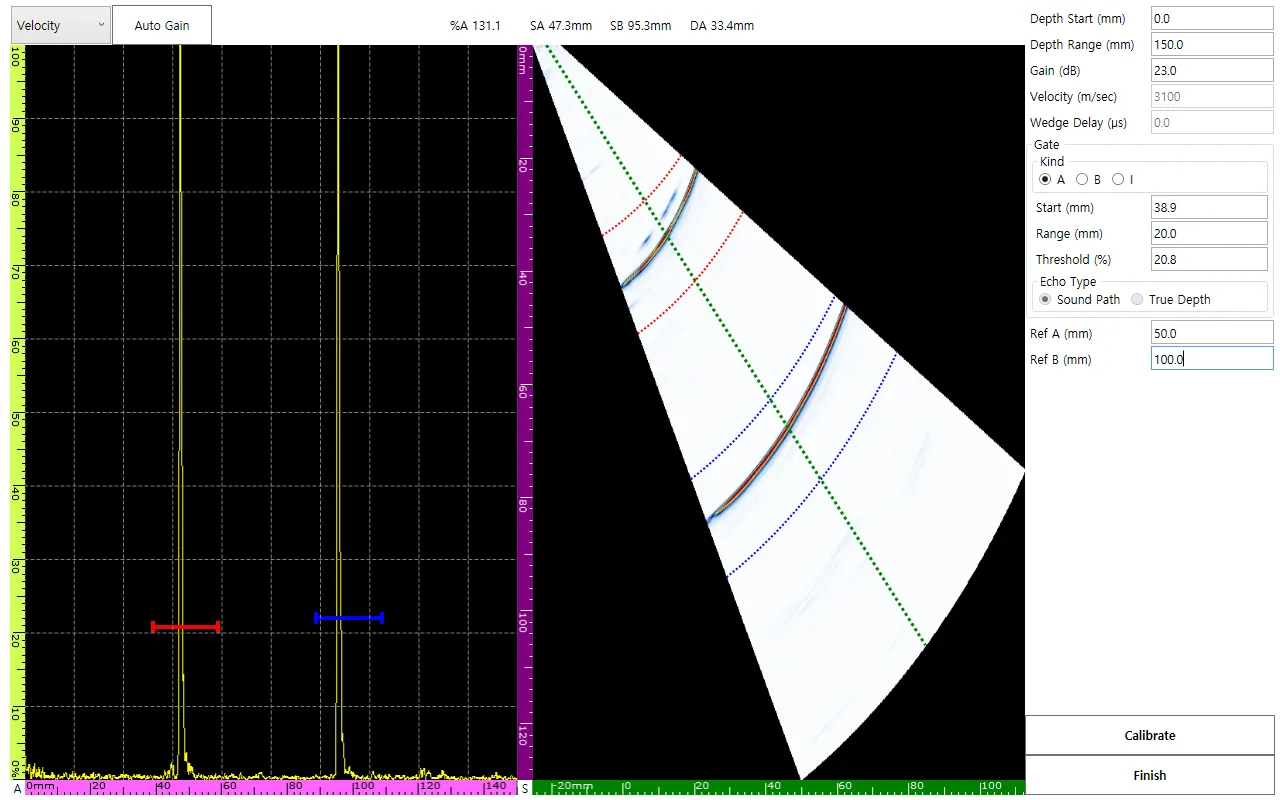 The measured position values for the signals passing through the A and B Gates are displayed prominently as SA and SB.
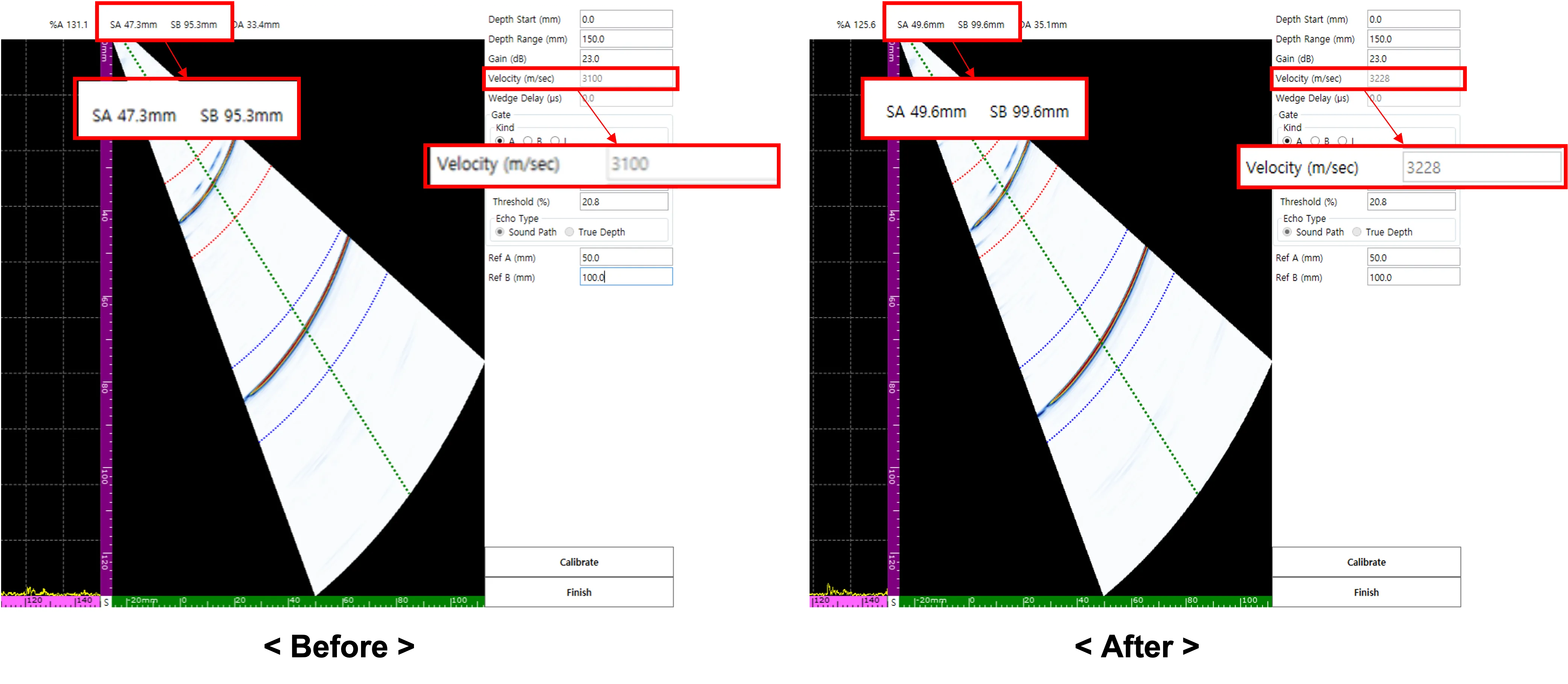 By selecting Calibrate, the internal velocity value is updated, scaling the SA and SB values to correctly represent the 50 mm interval.
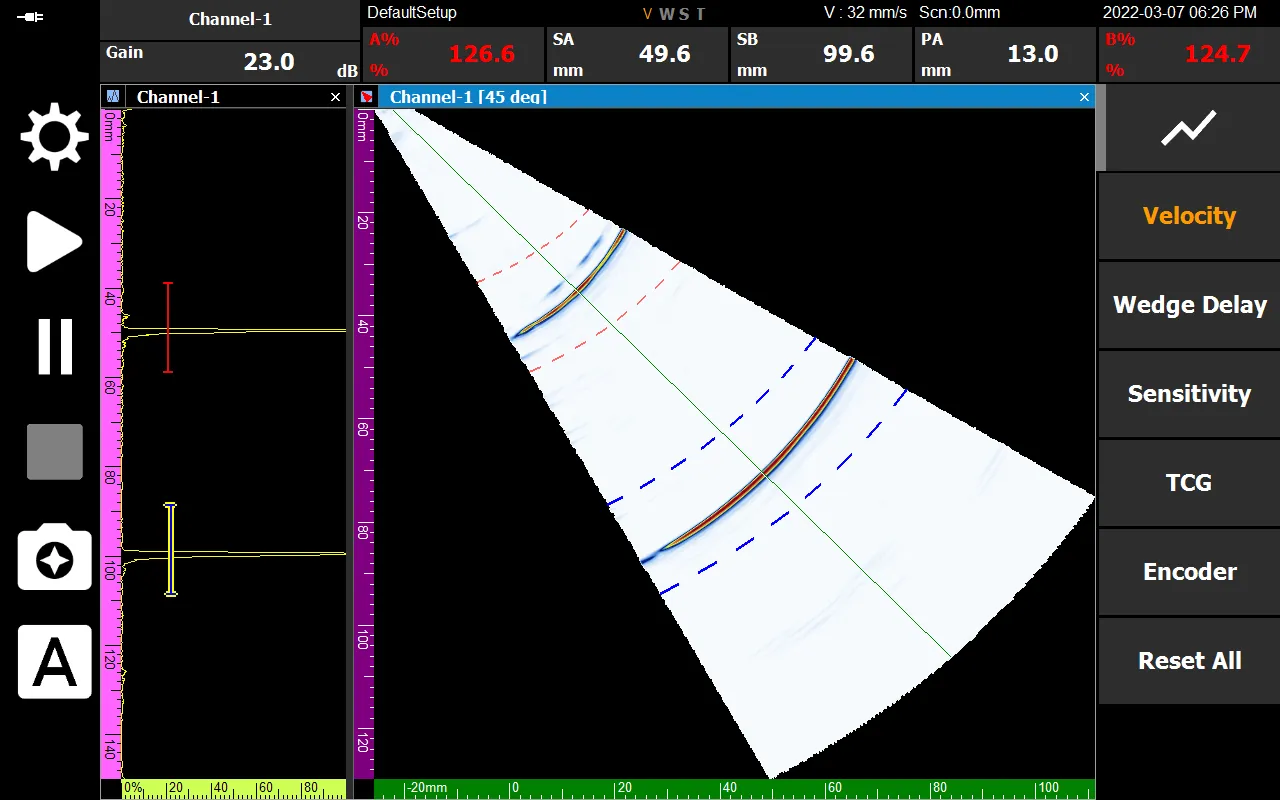 Upon selecting Finish, the ‘V’ in the V, W, S, T status labels will turn orange. This signifies that the radial velocity calibration process has been fully completed.