Linear Velocity Calibration
Section titled “Linear Velocity Calibration”
- Linear Velocity Calibration
- DEEPSOUND P5
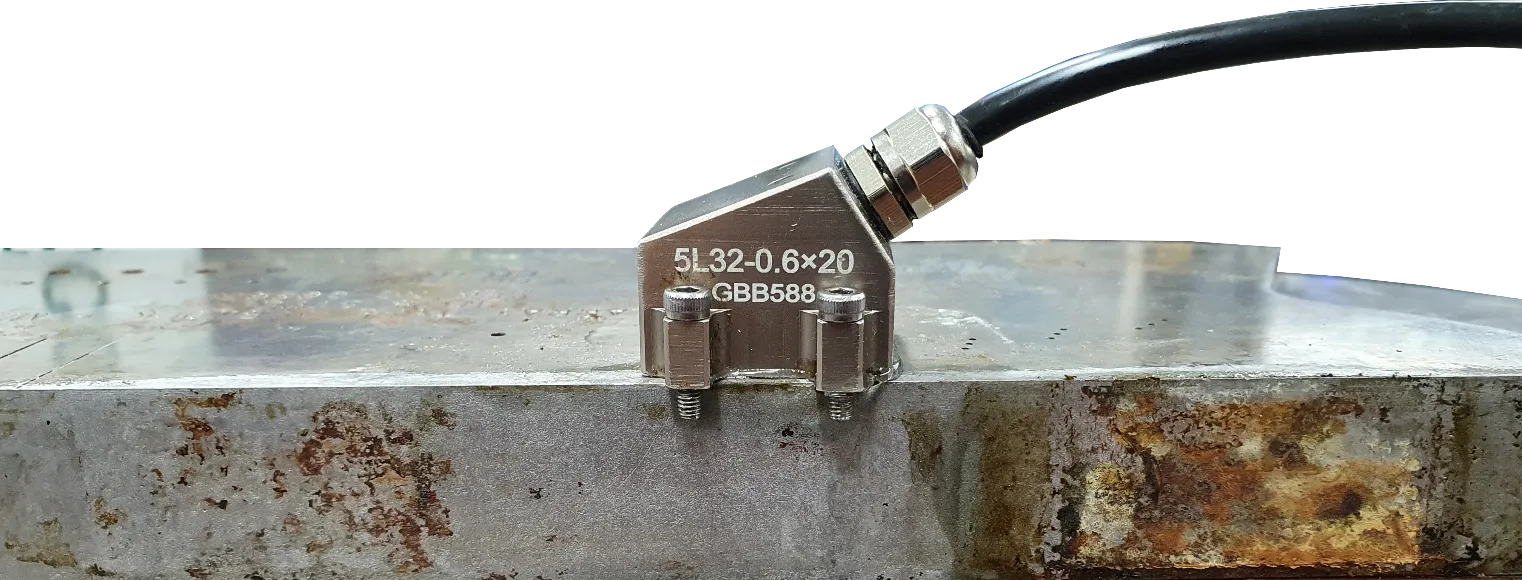 Prepare a calibration block made of the exact same material as the target specimen you intend to inspect.
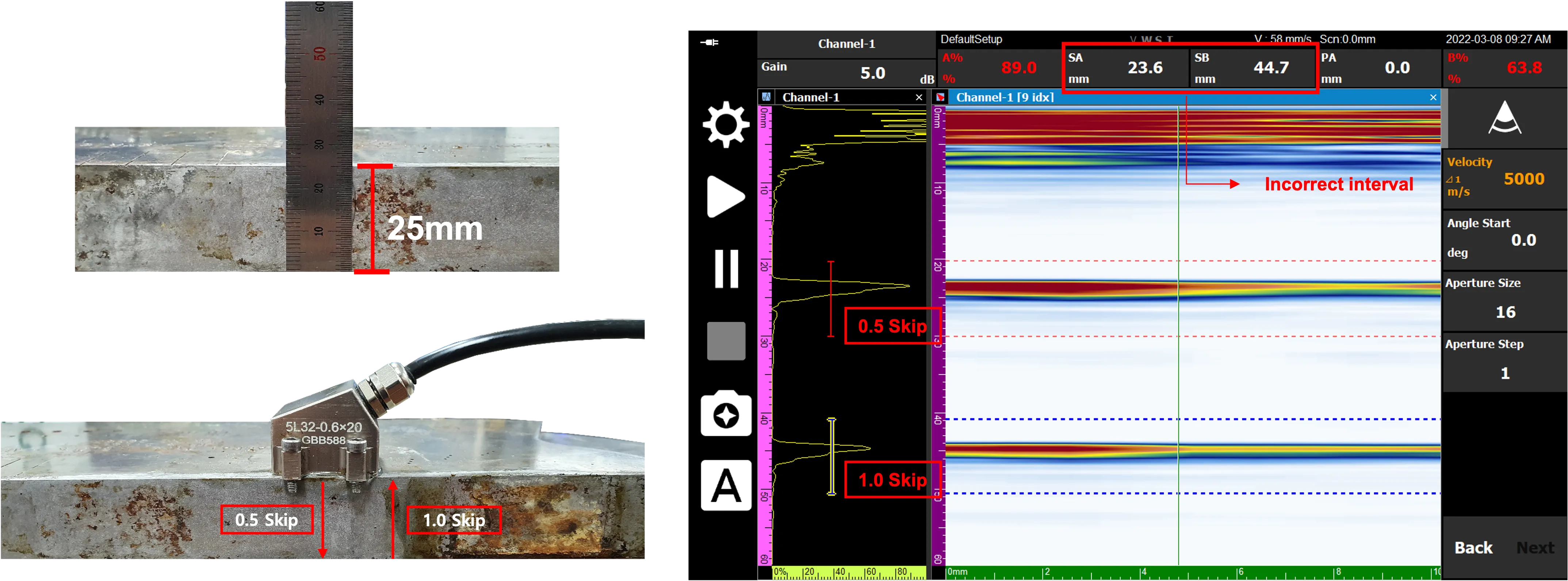
If the device is not properly calibrated to the material-specific velocity, the signal intervals at the skip positions will be incorrect.
Example: 0.5 Skip (25 mm) / 1.0 Skip (50 mm) ➡ Correct Interval = 25 mm
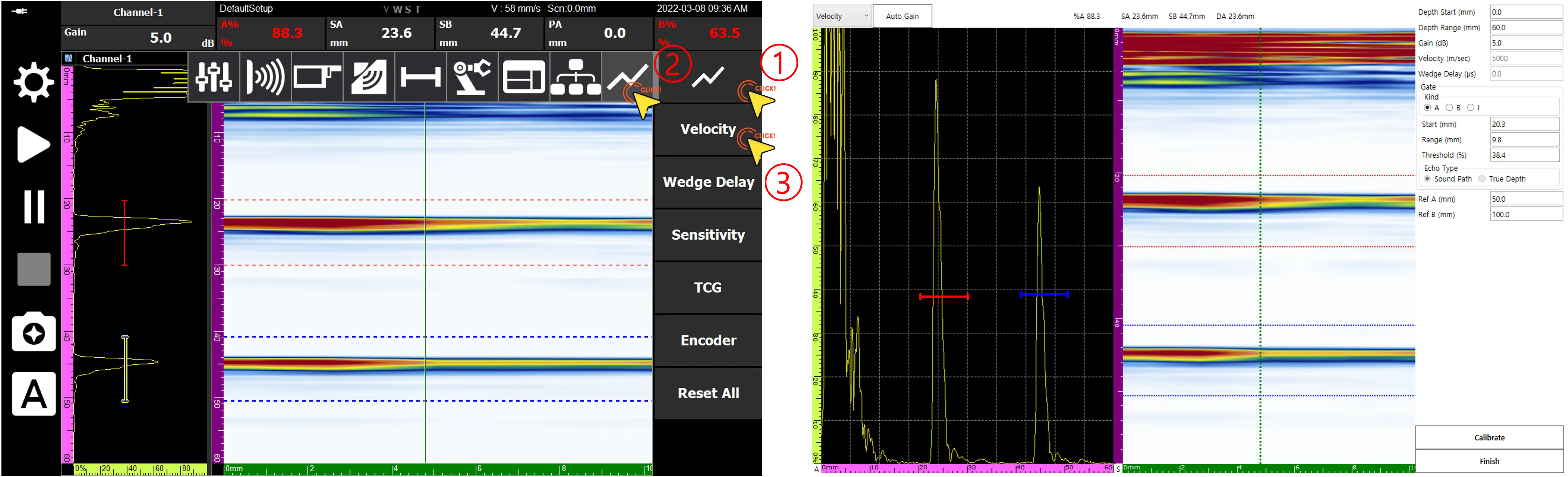 Navigate to the Velocity Calibration page by following the sequence indicated above.
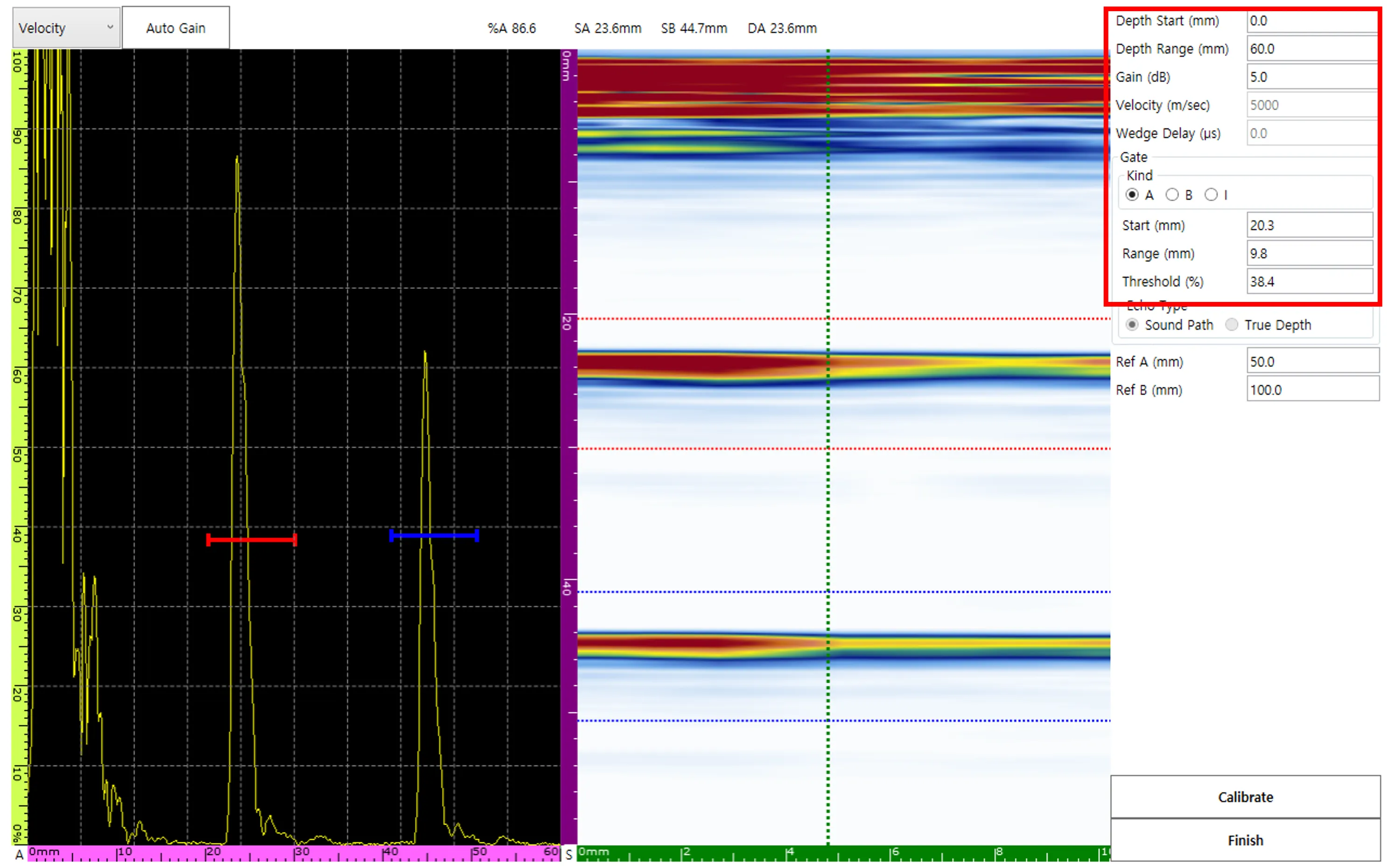 The Velocity Calibration menu provides a variety of inputs, including Depth Range, Gain, and Gate, to facilitate precise adjustments.
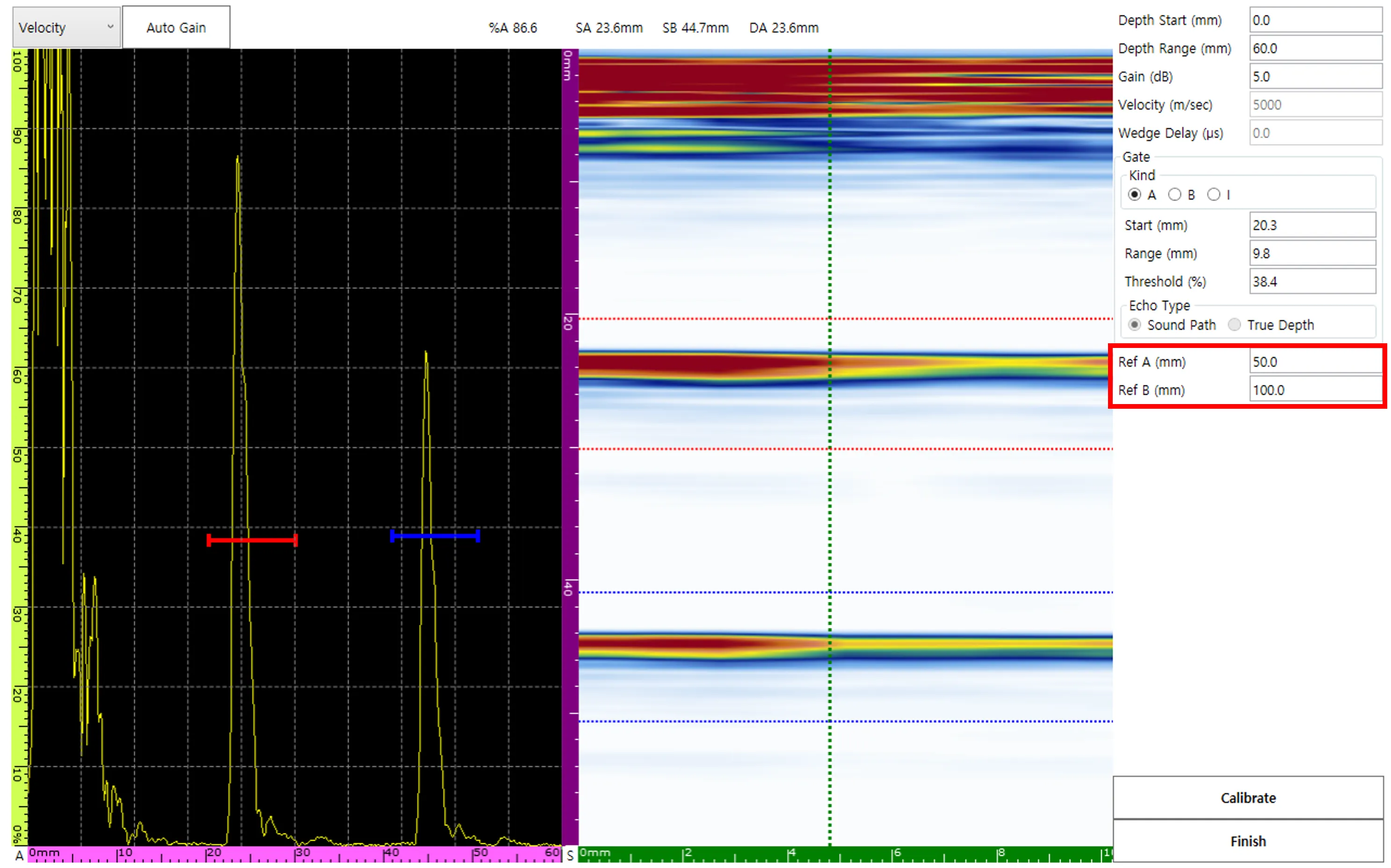 The Velocity Calibration standard relies on the difference between the designated Ref A and Ref B values.
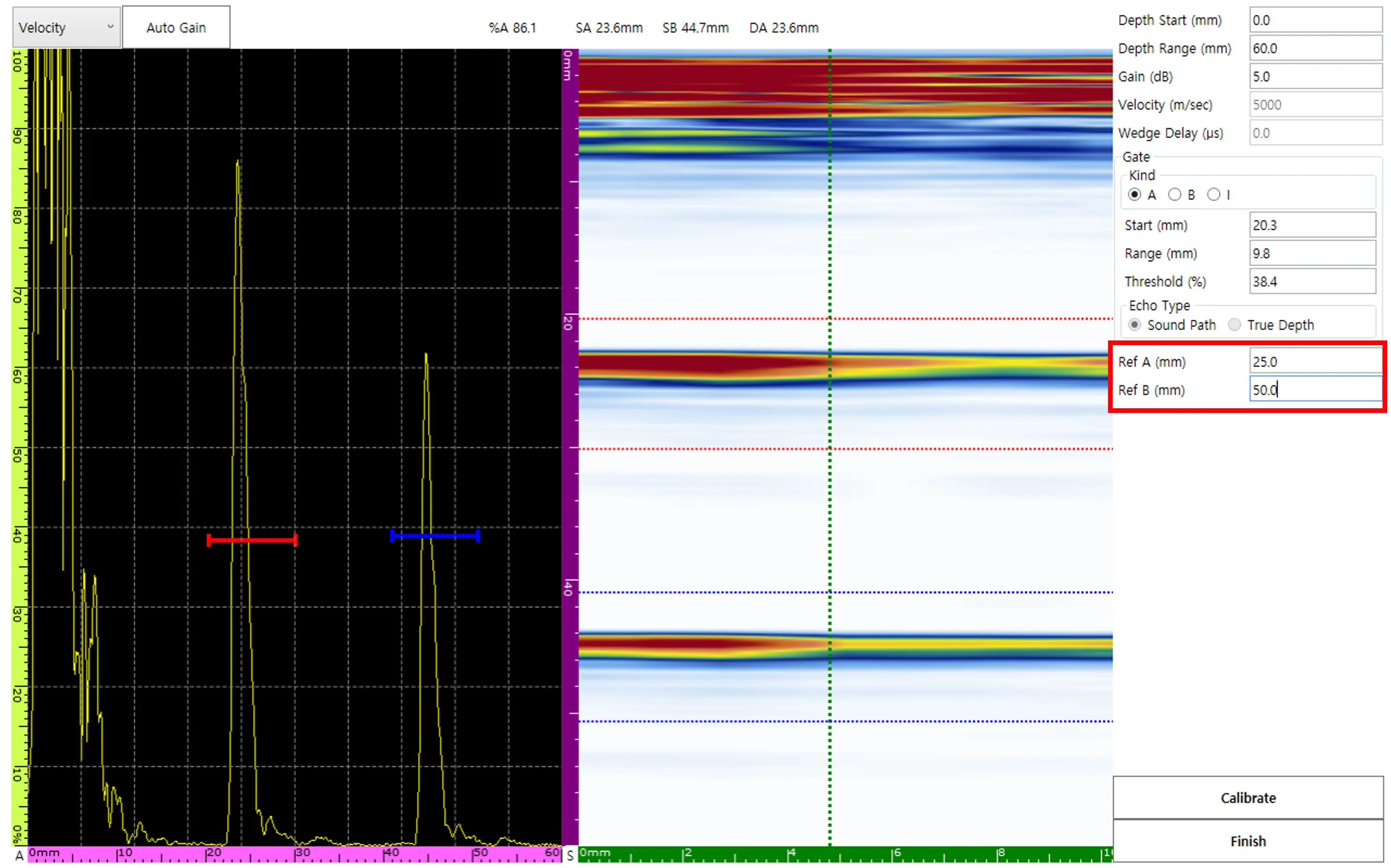 Using the actual physical position values of 0.5 Skip (25 mm) and 1.0 Skip (50 mm) as references, set Ref A to 25 mm and Ref B to 50 mm, respectively.
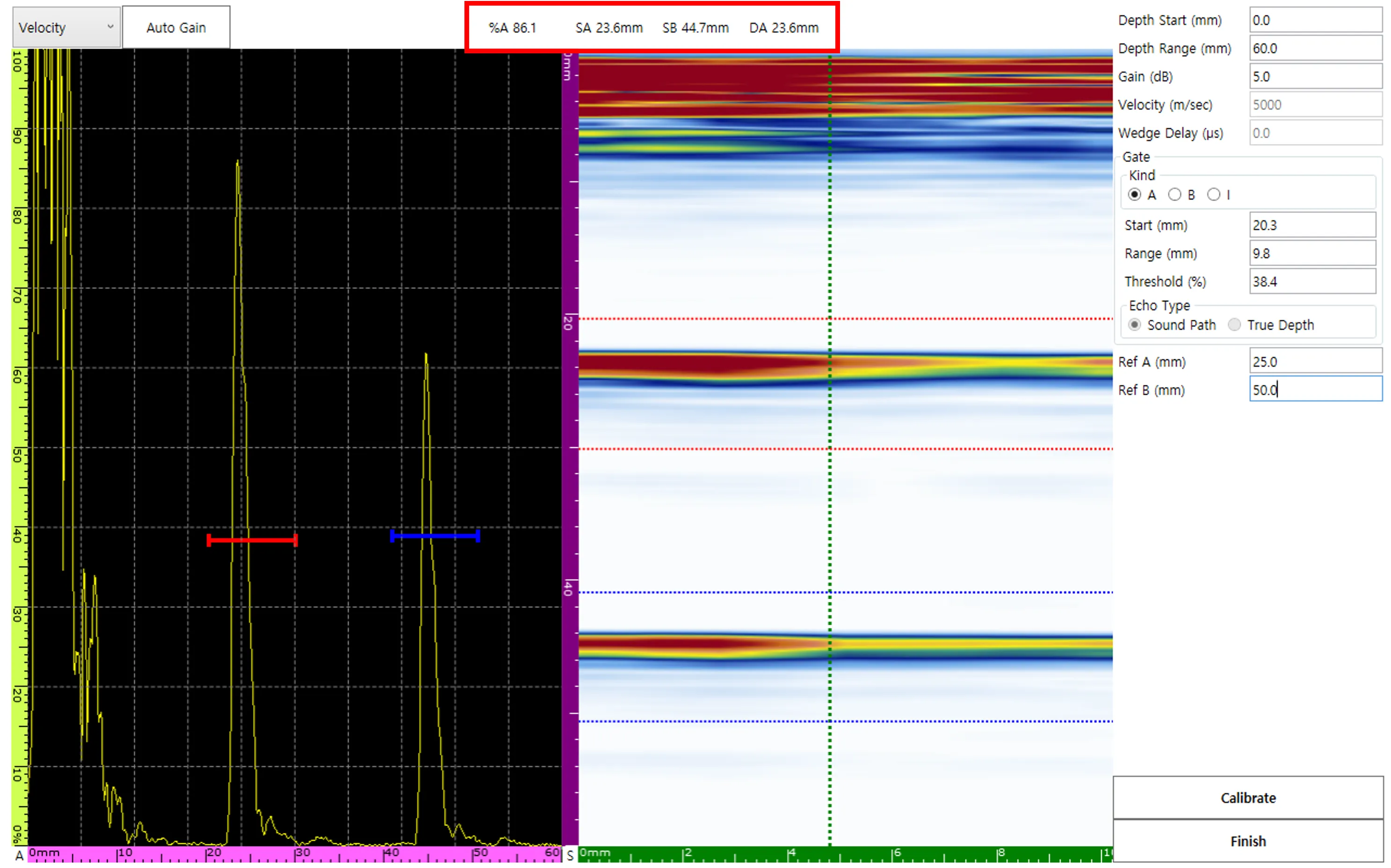 The detected position values generated by the signals passing through the A and B Gates are displayed dynamically as SA and SB.
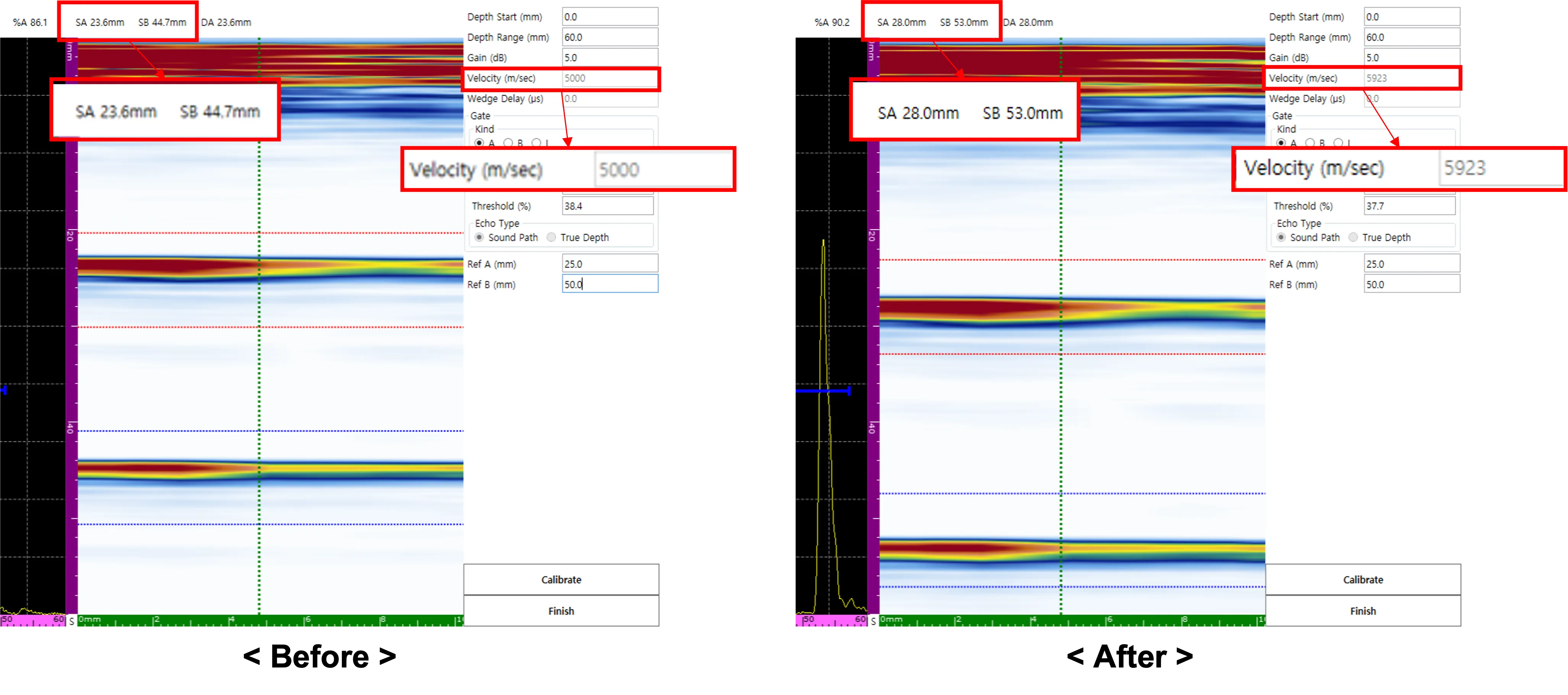 By selecting Calibrate, the material velocity is updated. The SA and SB values should now display the correct 25 mm interval.
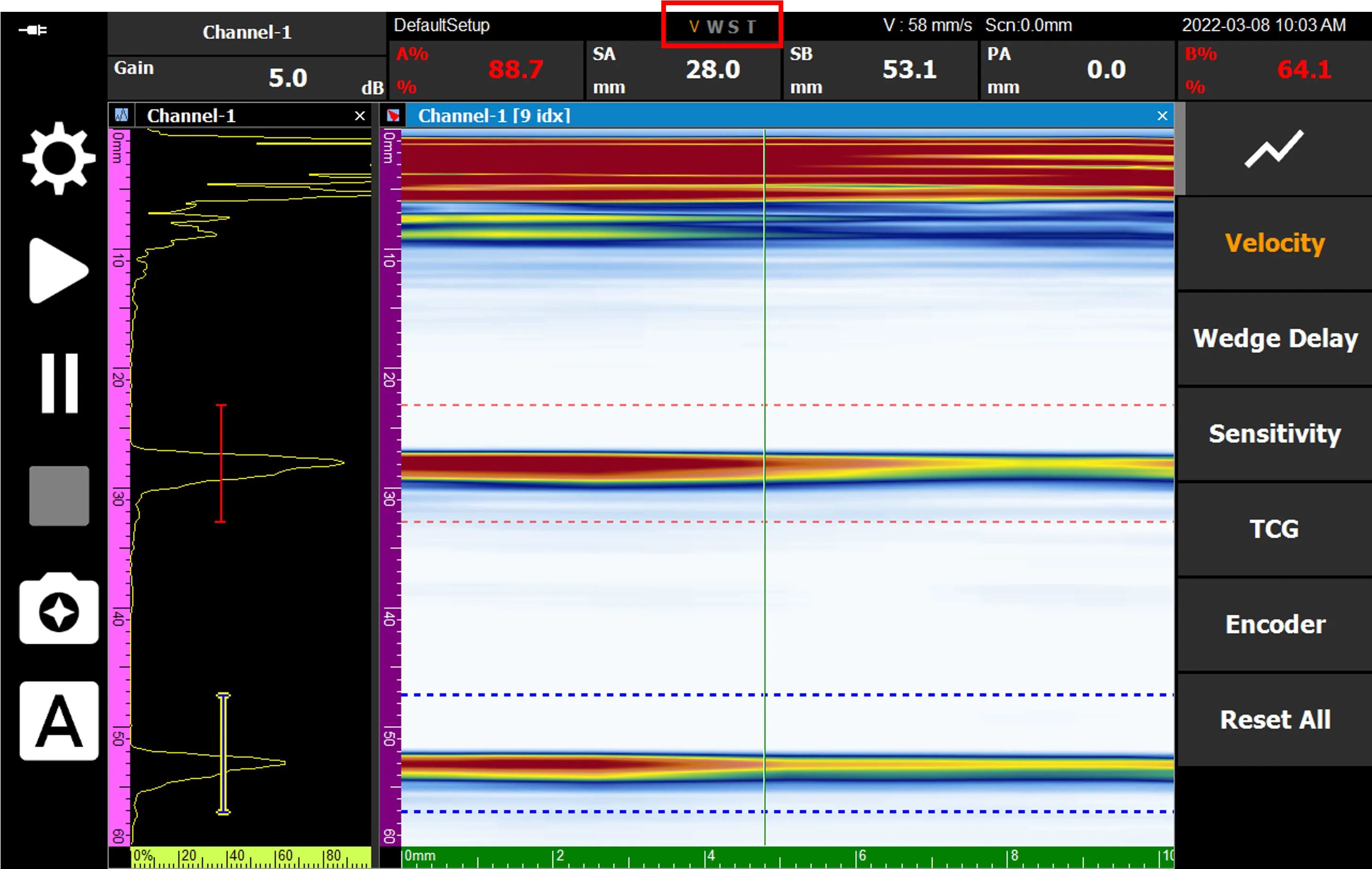 After completing the calibration, select Finish. The ‘V’ in the on-screen V, W, S, T indicators will turn orange, confirming that the linear velocity calibration process is successfully completed.