Sensitivity Calibration
Section titled “Sensitivity Calibration”
- Sensitivity Calibration
- DEEPSOUND P5
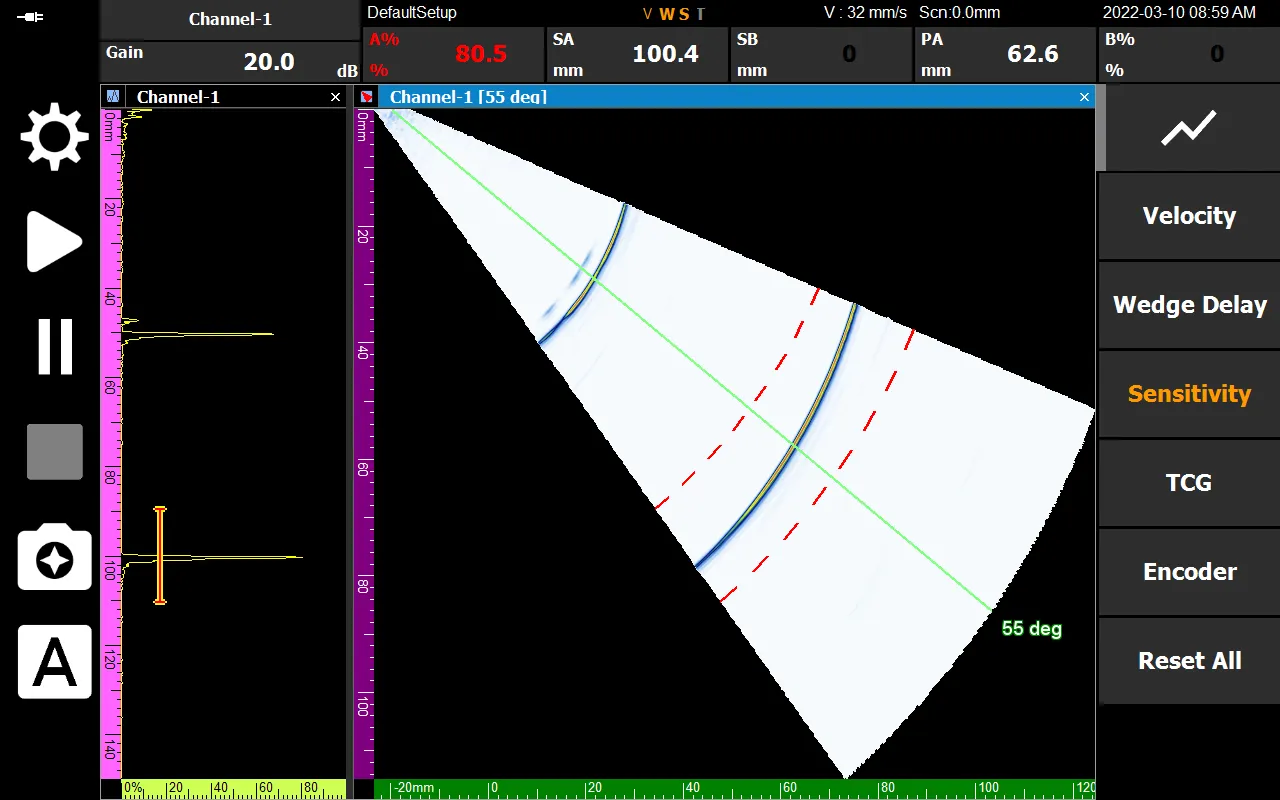
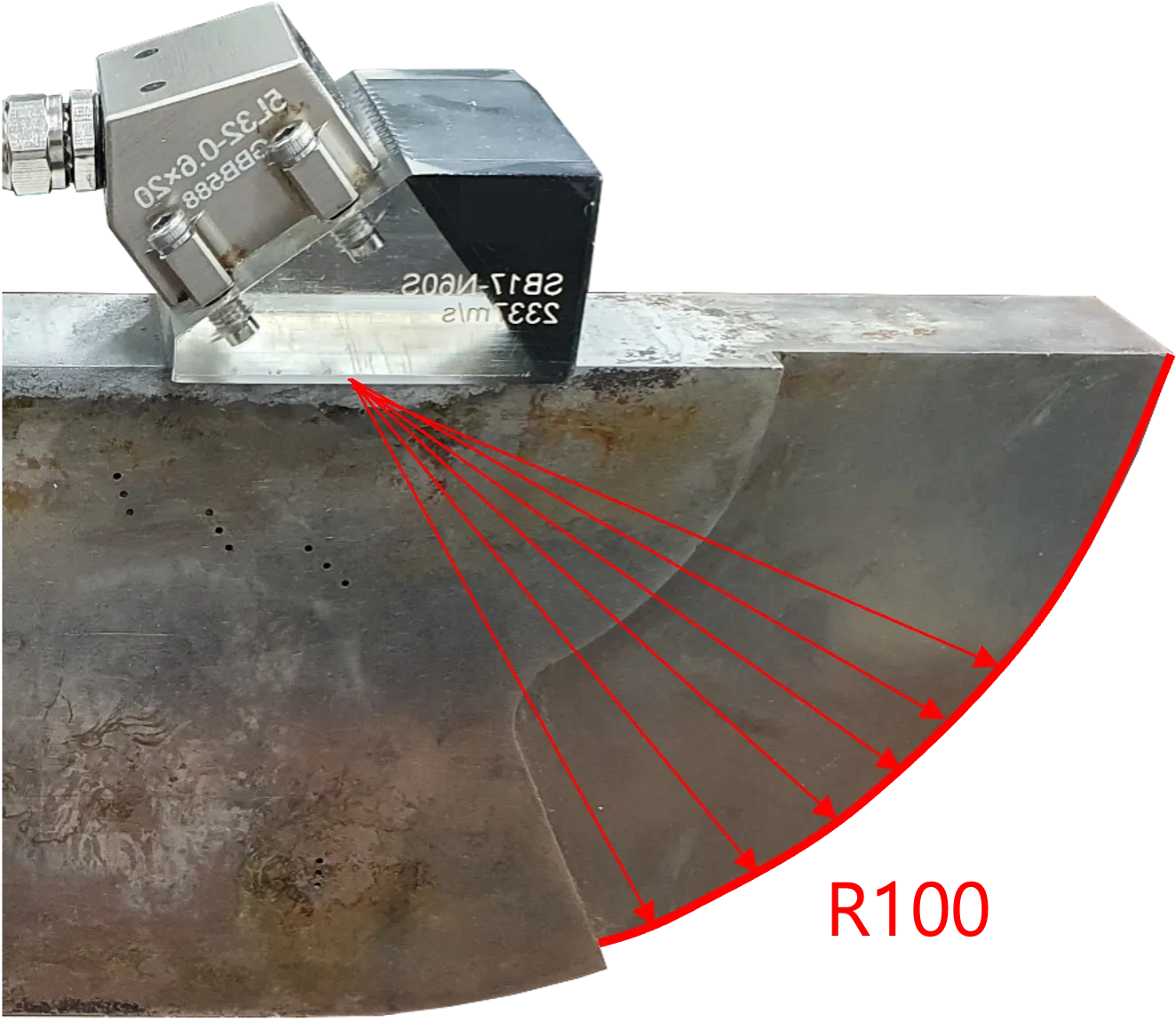
If the sensitivity is not properly calibrated, the amplitude values (signal strength) for different vectors at the R100 position will be inconsistent.
[Note: The signal amplitude directly affects the perceived size and severity of a defect]
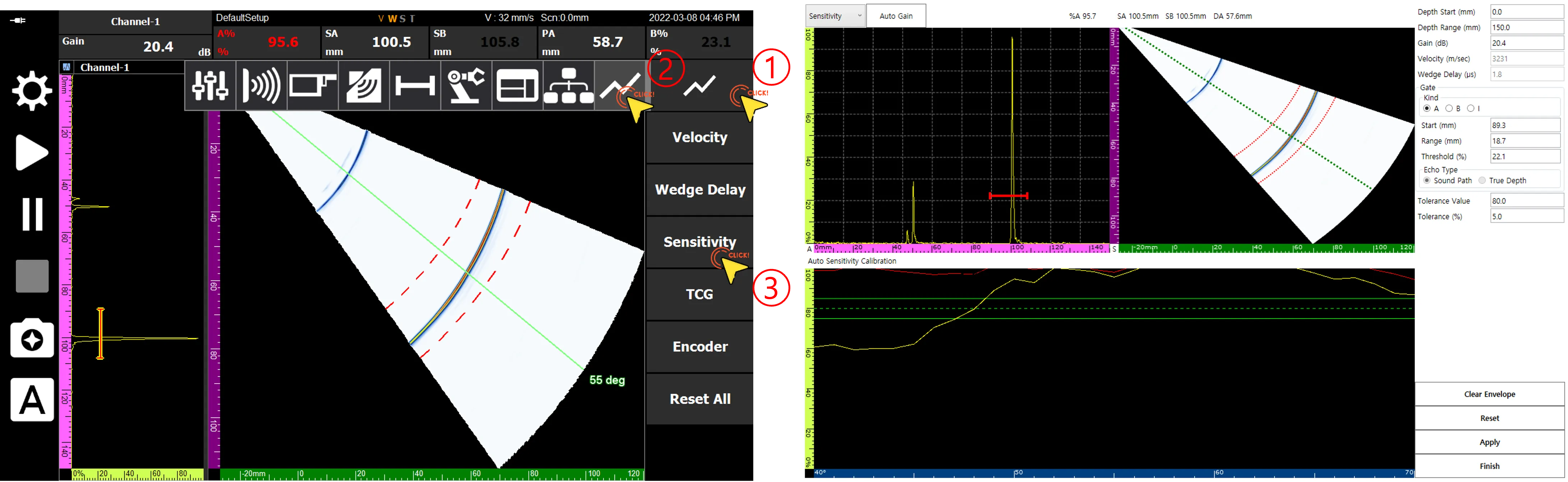
Navigate to the Sensitivity Calibration page by following the order indicated above.
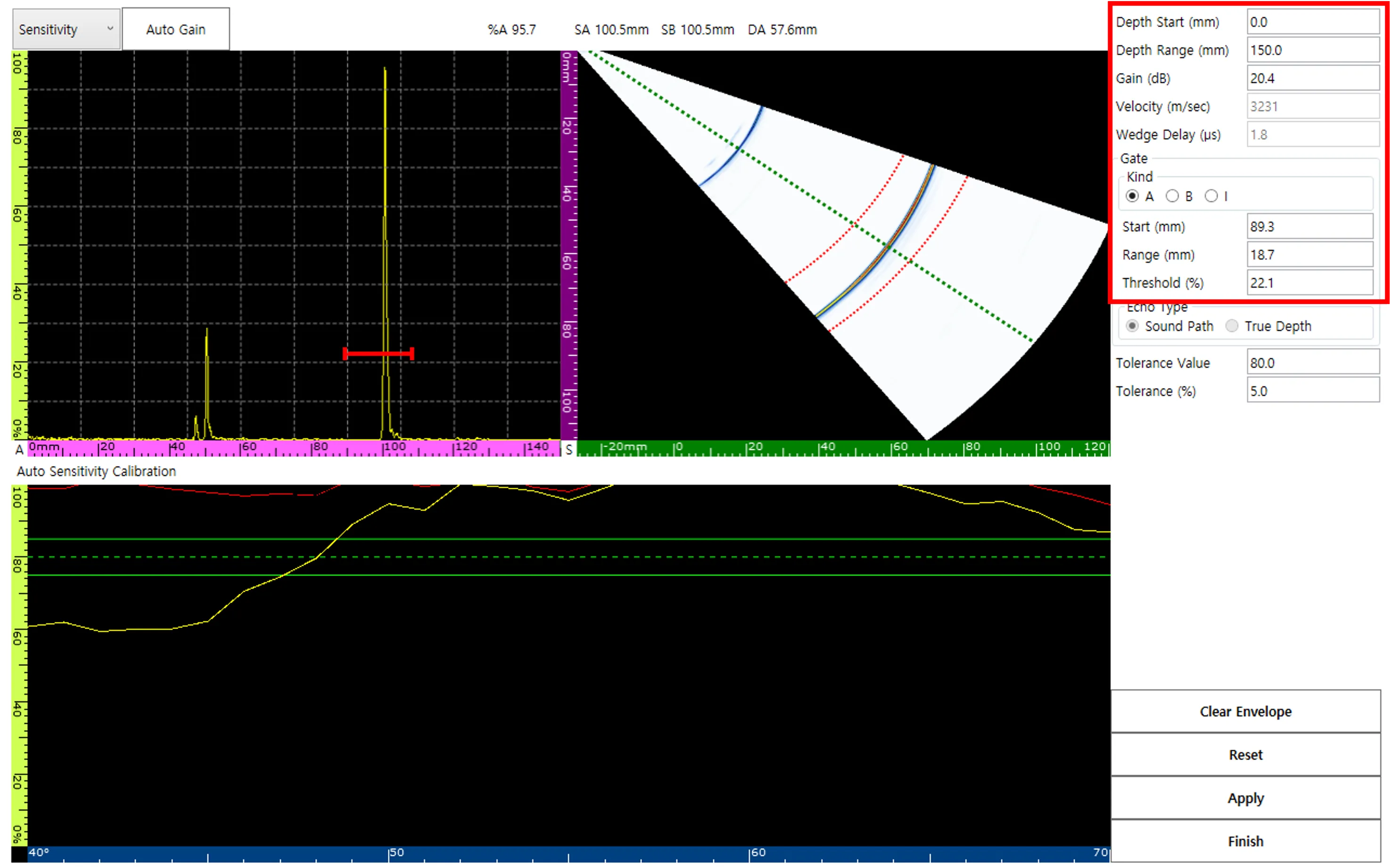
The Sensitivity Calibration page features various adjustable inputs, including Depth Range, Gain, and Gate parameters.
The Auto Sensitivity Calibration Window categorizes data into three visually distinct lines:
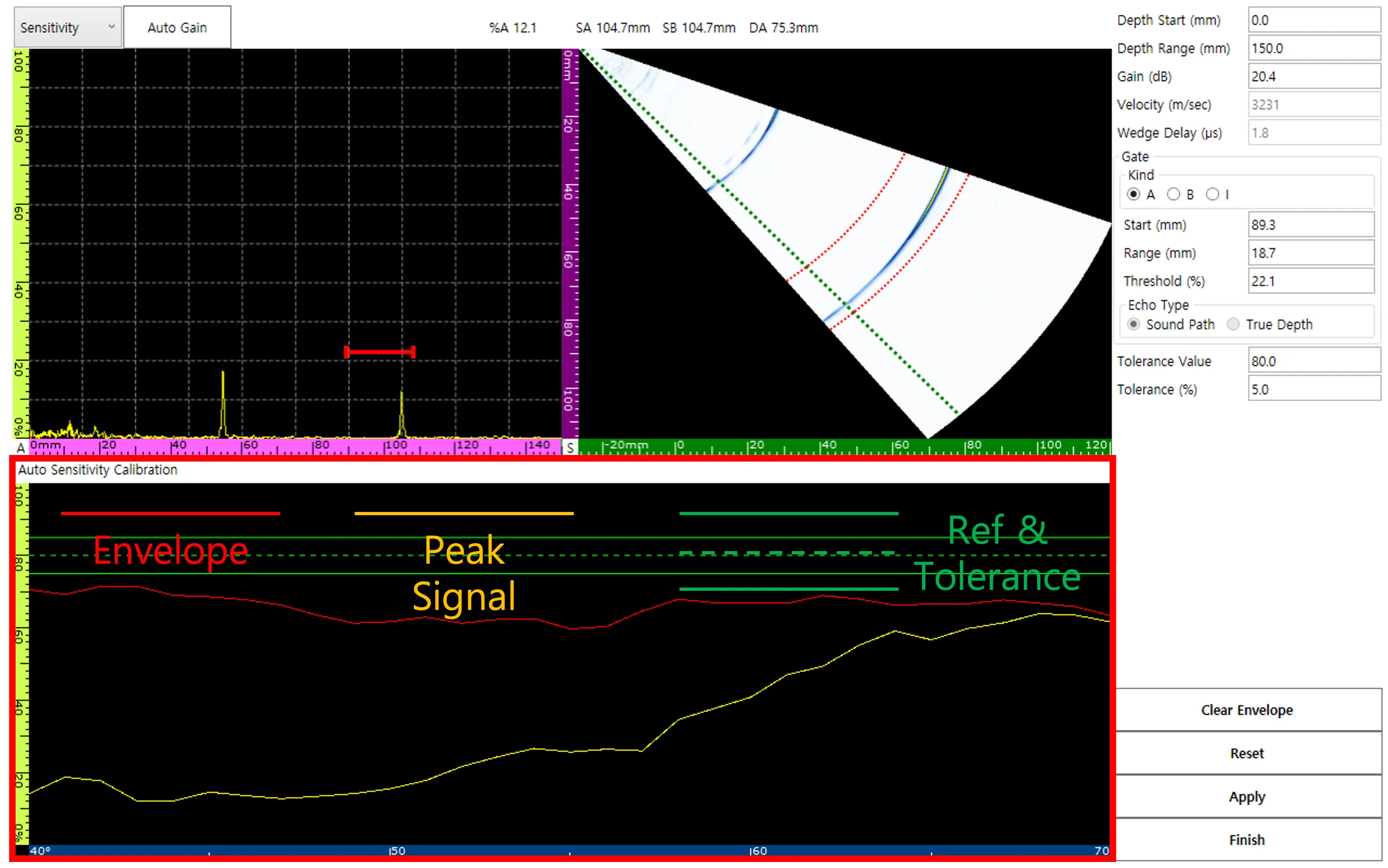
- Envelope
- Peak Signal
- Reference & Tolerance
The global amplitude tolerance for the vector range is set to 80%.
[The A Gate must also be shifted to establish a tolerance window running from 90 mm to 110 mm]
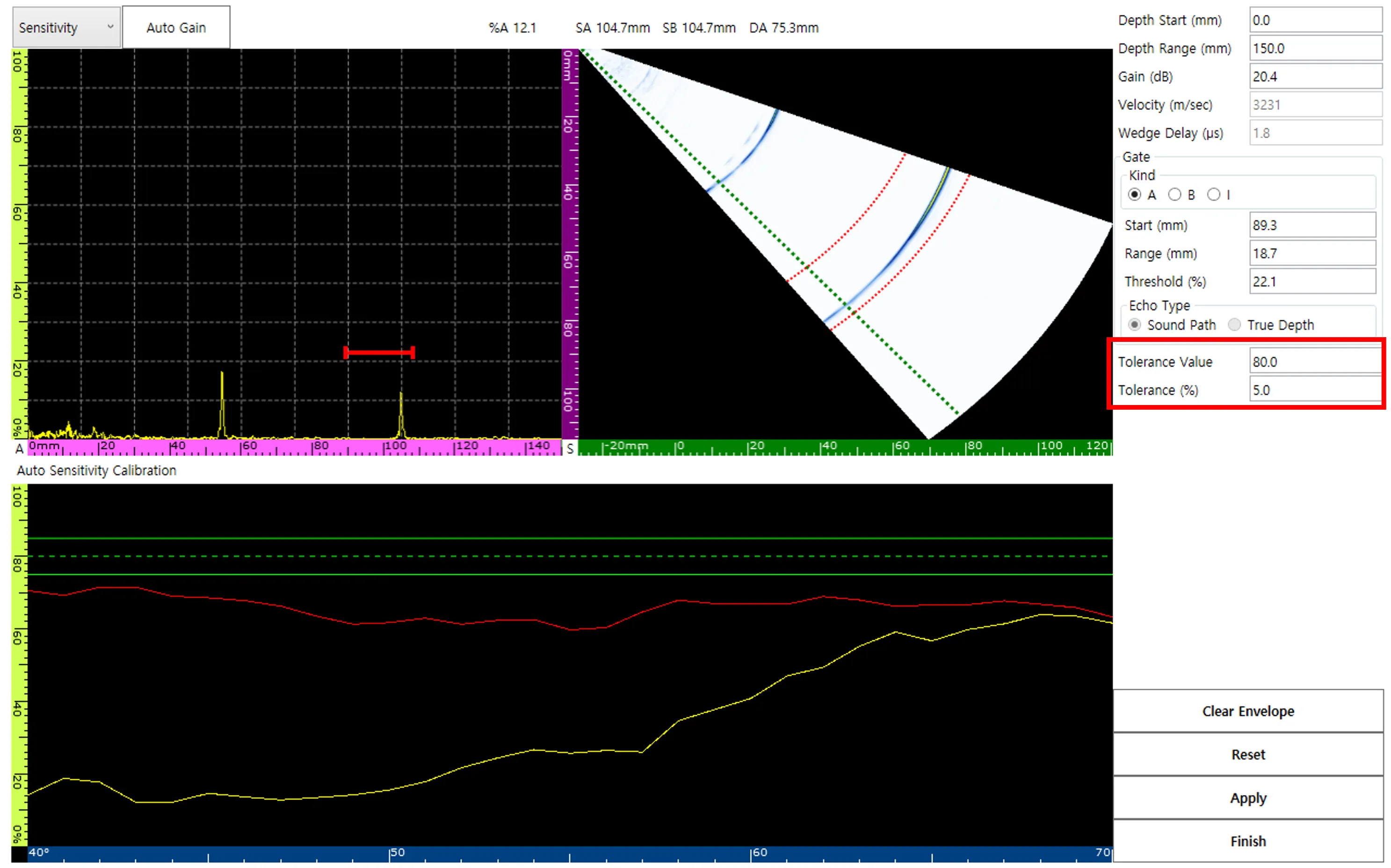
Before capturing the final data, slowly sweep the probe. This action shifts the Peak signal and establishes the Envelope signal within the bounds of the predefined Tolerance Value. Utilize Reset and Clear Envelope if necessary to restart.
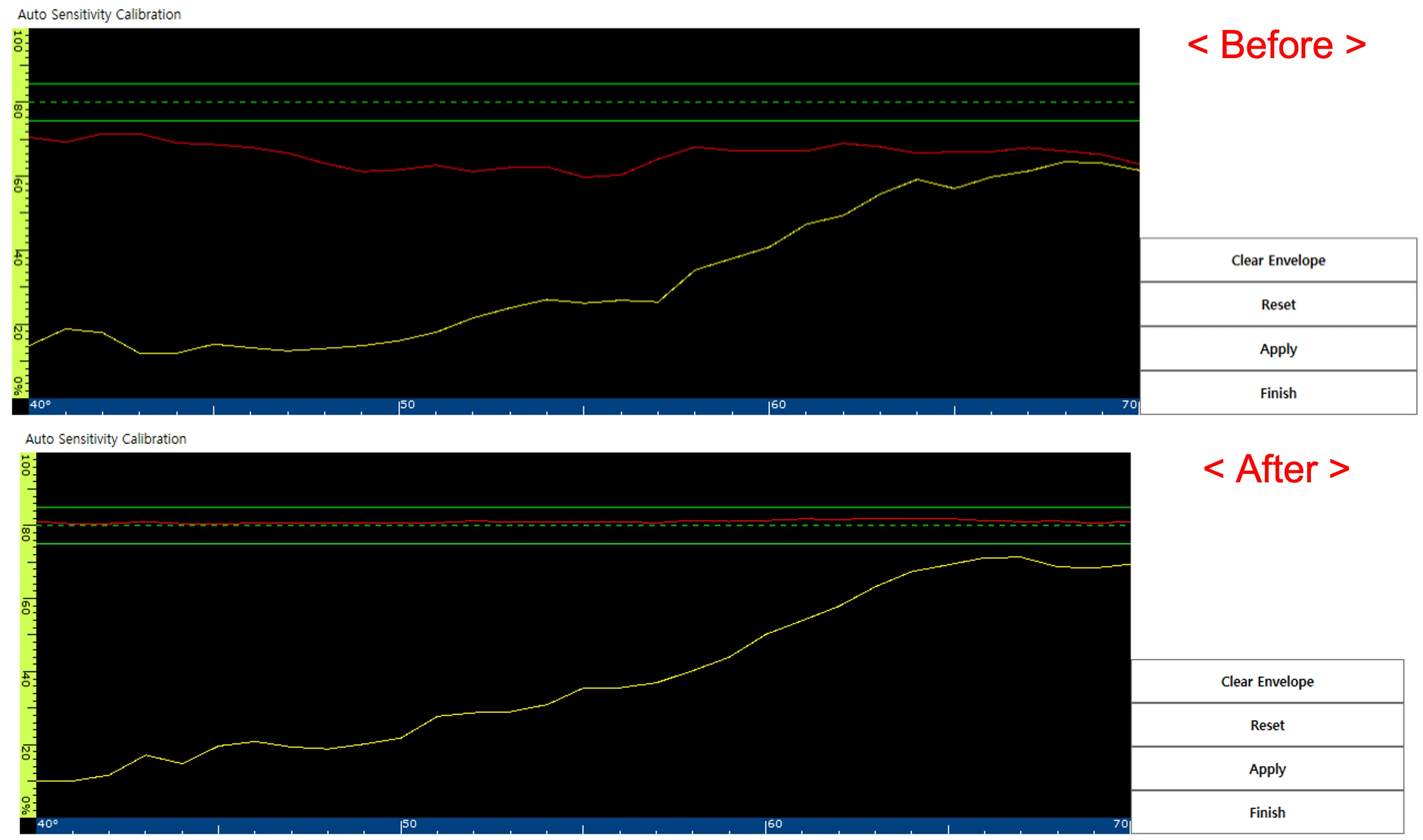
Select Apply to enforce the 80% Tolerance Value uniformly across all active vectors.
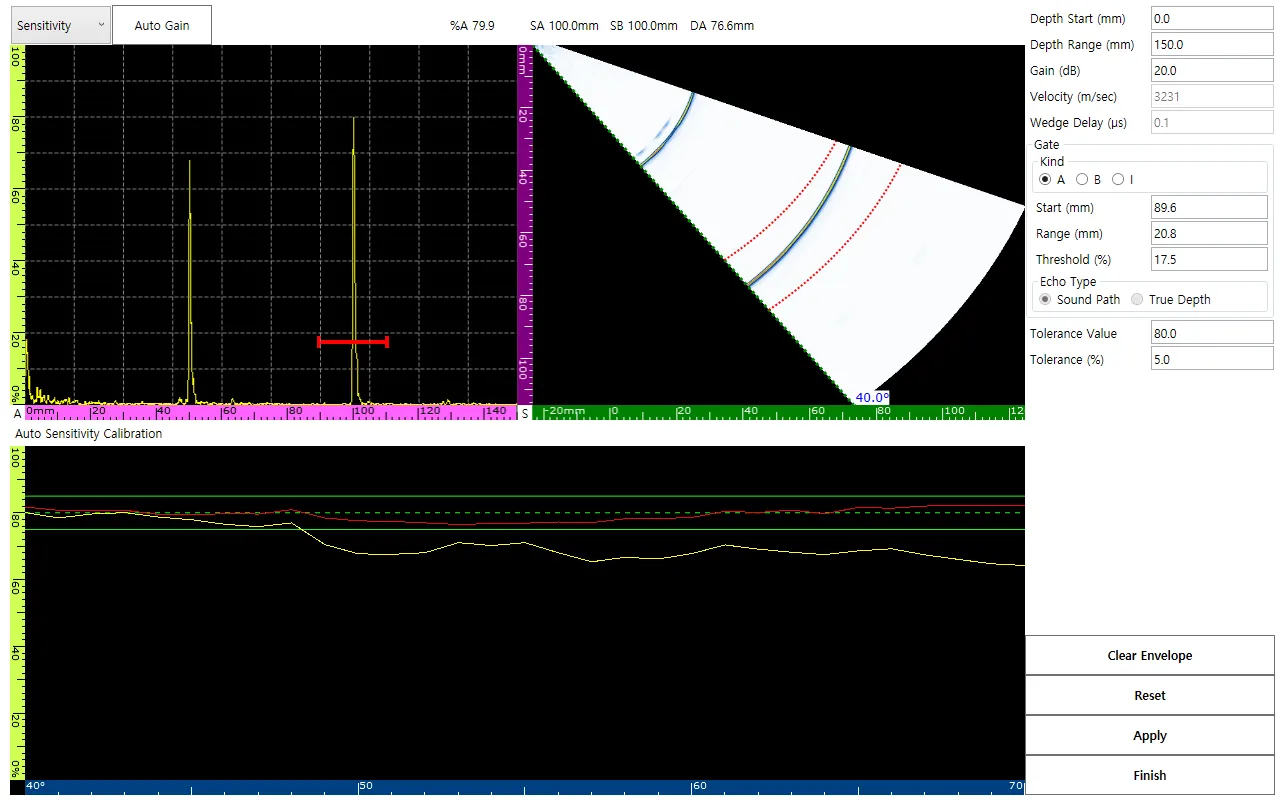

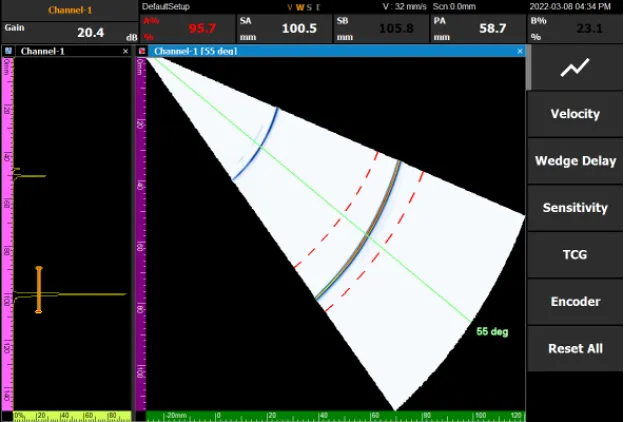
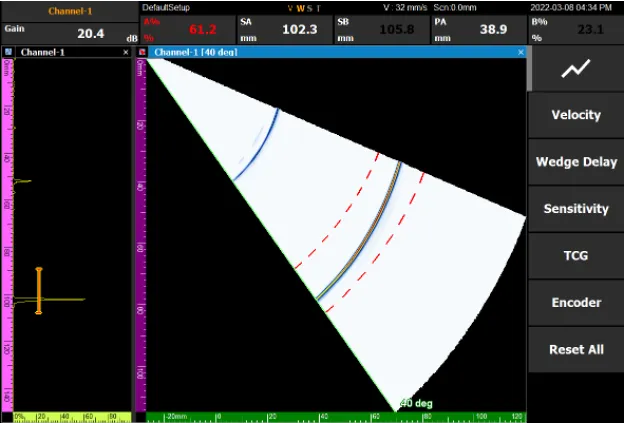
- < 40-degree Amplitude >

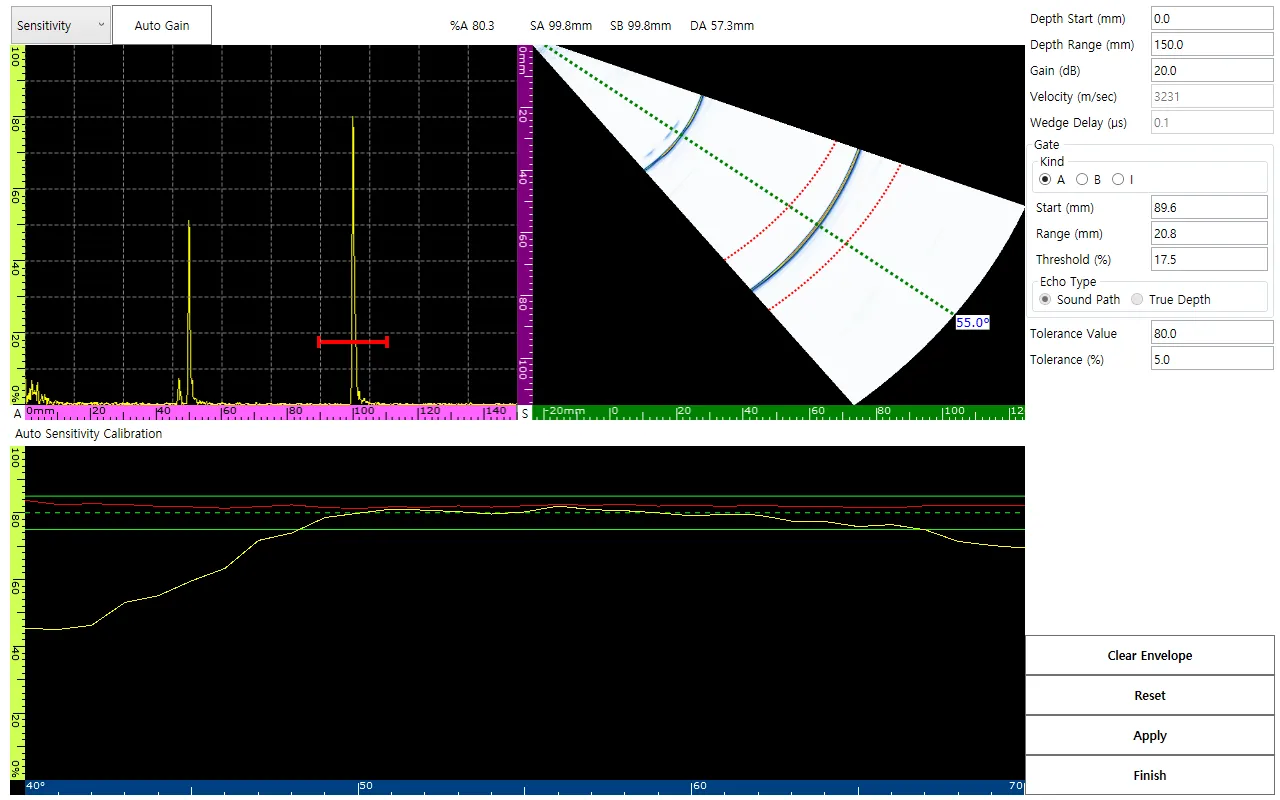


- < 55-degree Amplitude >
By selecting Finish, the ‘S’ within the V, W, S, T status indicators will turn orange, verifying that the sensitivity calibration was successfully completed.